

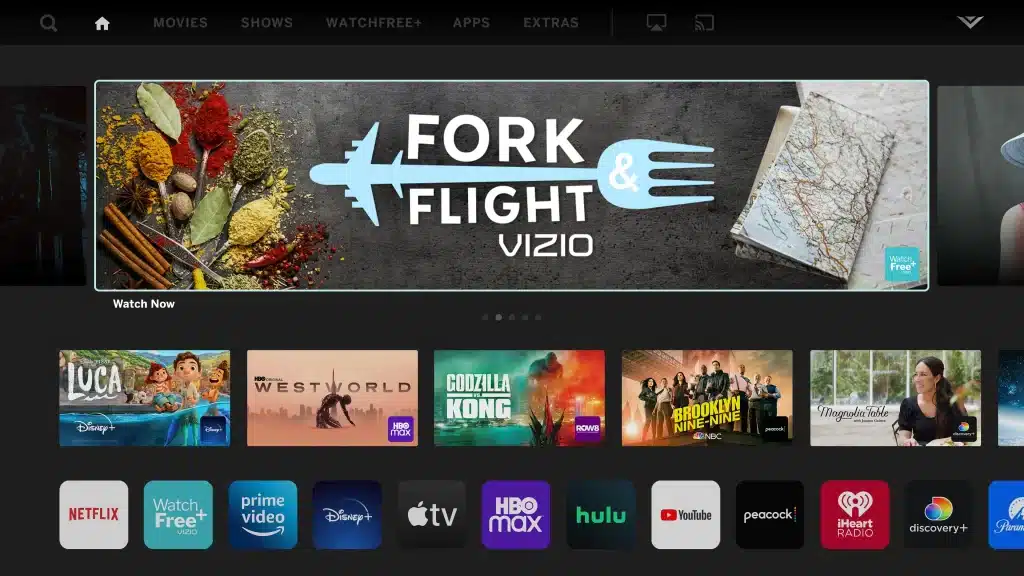
In an exciting development for streaming enthusiasts, Vizio has announced the addition of the Facebook Watch TV app to its SmartCast platform. This move promises to enhance the viewing experience for Vizio users, providing them with a broader range of content options right at their fingertips.
What is Vizio SmartCast?
Vizio SmartCast is an integrated platform that allows users to stream their favorite shows, movies, and apps directly on their Vizio TVs. It comes equipped with popular streaming services like Netflix, Hulu, and now, Facebook Watch. With a user-friendly interface and seamless connectivity, SmartCast provides a comprehensive entertainment solution for today’s digital age.
Introducing Facebook Watch on Vizio SmartCast
With the integration of the Facebook Watch TV app, Vizio users can now access a vast array of video content ranging from original programming to live events. Facebook Watch is known for its diverse content offerings, including popular series, community videos, and user-generated content that caters to a variety of interests.
Key Features of Facebook Watch on Vizio
- Original Programming: Enjoy exclusive shows and series created by Facebook, featuring a mix of genres and popular personalities.
- Live Streaming: Watch live events and broadcasts, including sports, concerts, and more.
- Community Engagement: Interact with content through comments and reactions, bringing a social aspect to your viewing experience.
How to Access Facebook Watch on Vizio SmartCast
Accessing Facebook Watch on your Vizio SmartCast TV is straightforward:
- Update Your SmartCast System: Ensure your TV has the latest SmartCast firmware to support new apps.
- Navigate to the App Section: Use your remote to access the SmartCast home screen and browse the available apps.
- Select Facebook Watch: Find and open the Facebook Watch app to start exploring its content.
Benefits for Vizio Users
The addition of Facebook Watch to the Vizio SmartCast lineup not only diversifies the content available but also enhances user engagement by incorporating social media elements. This integration aligns with Vizio’s goal to provide a comprehensive and interactive entertainment experience, making it easier than ever for users to discover new content and connect with their favorite creators.
Conclusion
Vizio’s decision to include Facebook Watch in its SmartCast platform is a significant step forward in the evolution of streaming services. By offering a more extensive selection of apps and content, Vizio continues to meet the growing demands of modern viewers who crave variety and interactivity. Whether you’re interested in catching the latest viral video or enjoying a live concert from the comfort of your living room, Vizio SmartCast with Facebook Watch has you covered.