

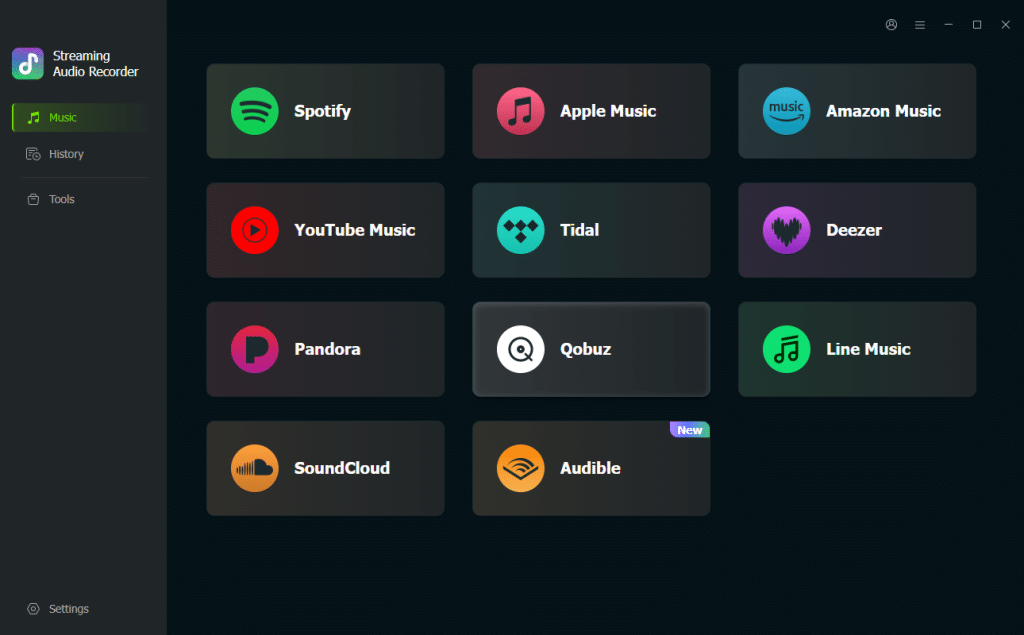
YouTube Music has become a global powerhouse for streaming, offering a vast catalog of official tracks, rare remixes, live performances, and user-uploaded content. However, its official offline features come with significant limitations. Downloads are locked within the app, require an active Premium subscription, and are inaccessible on other devices like your favorite MP3 player or a new smartphone. This guide provides a comprehensive, step-by-step solution to download YouTube Music to MP3, giving you permanent, portable access to your music library using a professional audio recorder.
Why You Need a Dedicated YouTube Music to MP3 Converter
The core problem is that standard YouTube Music audio is protected. Even with a Premium subscription, downloaded songs are cached files that expire and cannot be transferred. To truly “own” a copy of your music for offline use on any device—whether it’s a phone, tablet, or car stereo—you need to convert the audio into a universal format like MP3.
Many users turn to free online converters or browser extensions, but these methods are often unreliable, slow, and risky. They frequently suffer from unstable performance, intrusive advertisements, malware risks, and poor audio quality. They also rarely support downloading entire playlists or albums in one go. For a safe, efficient, and high-quality solution, a dedicated professional software like ViWizard YouTube Music Converter is essential.
ViWizard: The Most Comprehensive Solution for YouTube Music
ViWizard YouTube Music Converter stands out as a powerful, all-in-one solution designed to overcome the limitations of music streaming services. It functions as an advanced audio capture and conversion tool, creating permanent MP3 files directly from the source stream.
Here’s what makes it the top pick for downloading YouTube Music to MP3:
Supports Batch Downloads: Unlike most online tools, ViWizard can download entire YouTube Music playlists, albums, or mixes at once, saving you immense time and effort.
Lossless Quality: It preserves the original audio fidelity, allowing you to save files at up to 320 kbps. The advanced audio preservation engine ensures that every detail from punchy basslines to crisp vocals is retained in the output MP3.
Preserves ID3 Tags: Automatically saves crucial metadata like the song title, artist, album, and cover art, keeping your music library organized.
High-Speed Conversion: ViWizard can process downloads up to 30 times faster than real-time playback, far outpacing the slower speed of online converters.
Supports Multiple Platforms: While it’s perfect for YouTube Music, the same software also works seamlessly with services like SoundCloud, Spotify, Apple Music, Tidal, Amazon Music, and more, making it a truly versatile tool.
Step-by-Step Guide to Convert YouTube Music to MP3
ViWizard makes the process simple and intuitive. Here is a straightforward guide to getting your music:
Step 1: Choose Your Output Settings
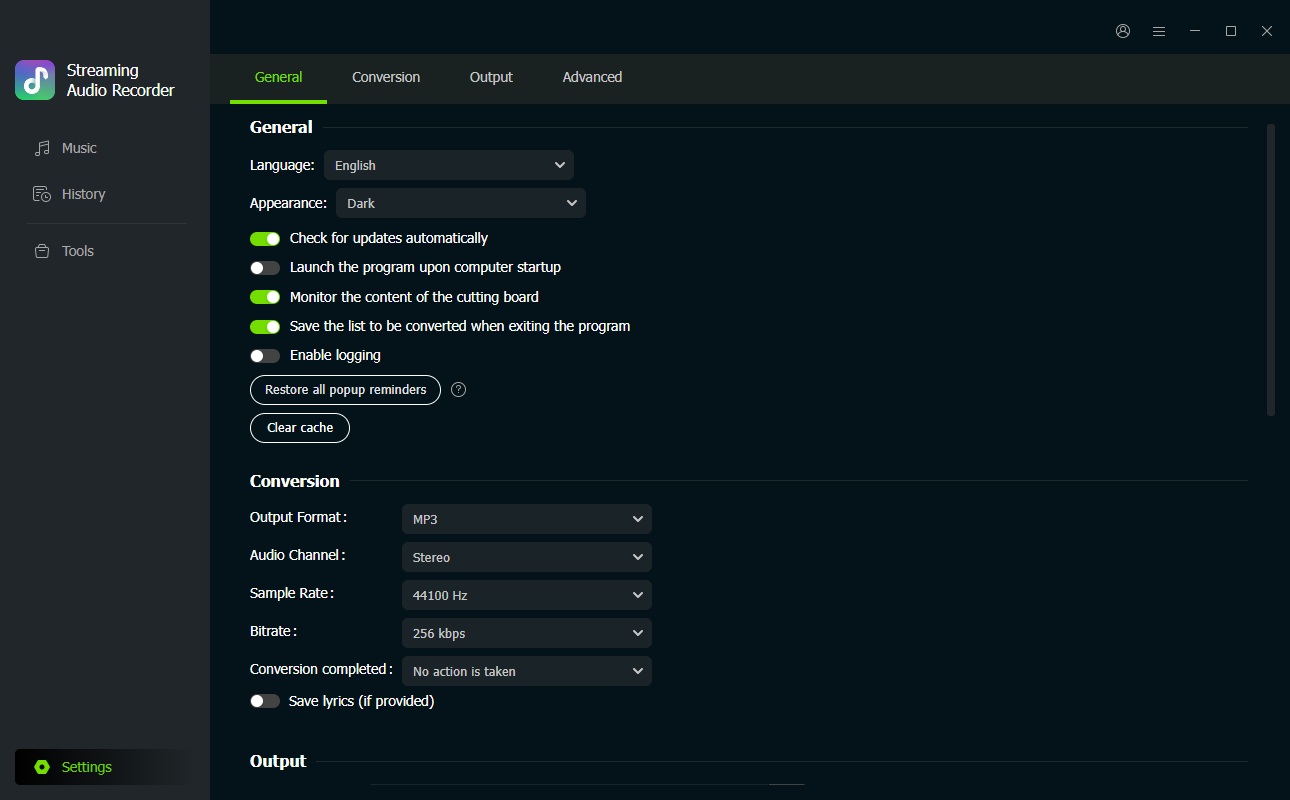
Launch ViWizard YouTube Music Converter. Click the button Setting and go to the dedicated panel. Here, you will select your desired output format—choose MP3 for the best compatibility. You can also customize the bitrate (up to 320 kbps), sample rate, and output folder where your files will be saved.
Step 2: Sign In to Your Account
Return to the main interface and select YouTube Music. A built-in web player will open. Sign in with your YouTube Music/Google account. This gives ViWizard full access to your personal music library, including all your playlists, liked songs, and albums.
Step 3: Select and Add Your Music
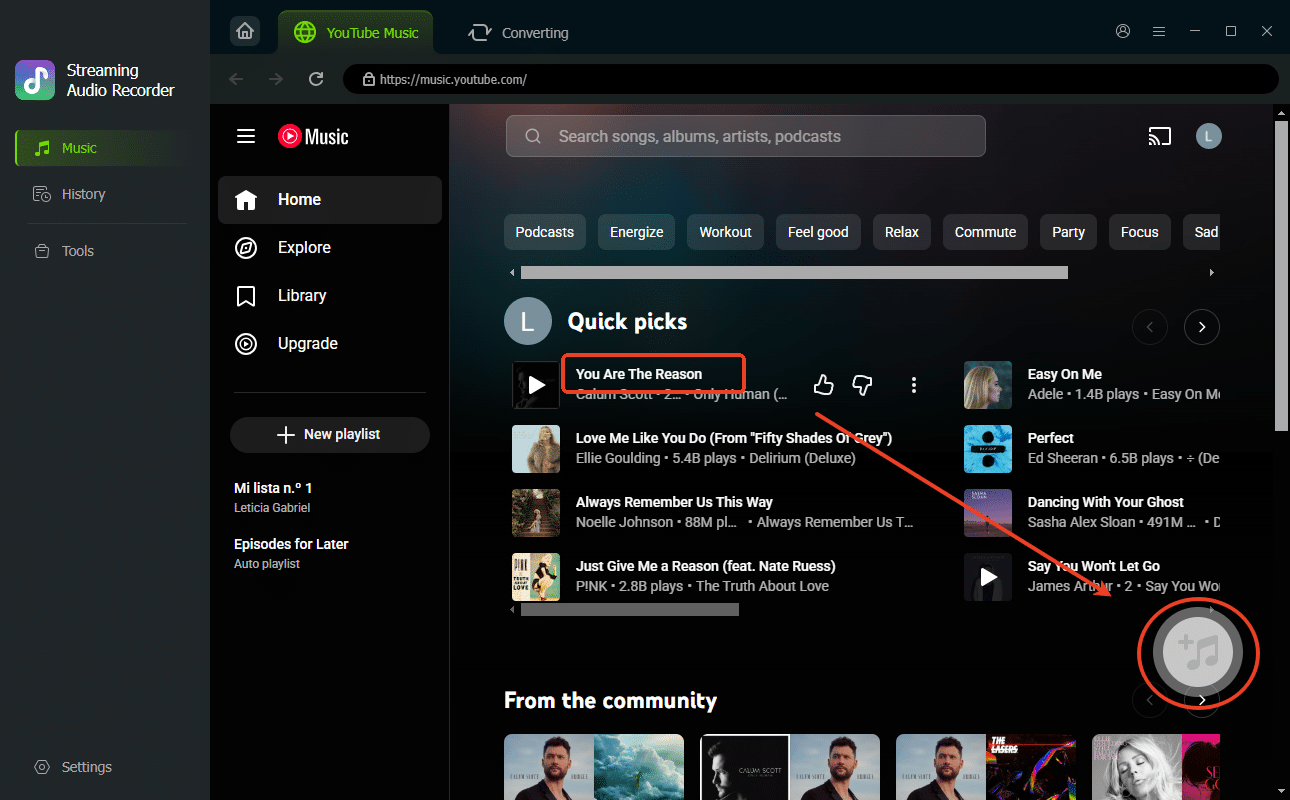
Browse your library to find the songs, playlists, or albums you want to download. Once you’ve made your selection, simply click the “+” button to add them to the conversion queue.
Step 4: Download and Convert
Finally, click the “Convert” button. ViWizard will process your music, downloading and converting it to MP3 while preserving its original quality and metadata. Once the process is complete, your music is ready for offline listening on any device you choose.
Conclusion
Downloading YouTube Music to MP3 is the only way to truly own your favorite tracks and enjoy them without restrictions. While free online converters come with risks and limitations, a professional solution like ViWizard YouTube Music Converter offers a secure, high-fidelity, and feature-rich experience. By following the steps above, you can build a permanent, personal music library that you can take with you anywhere, ensuring your music is always available, no matter the device or internet connection.