

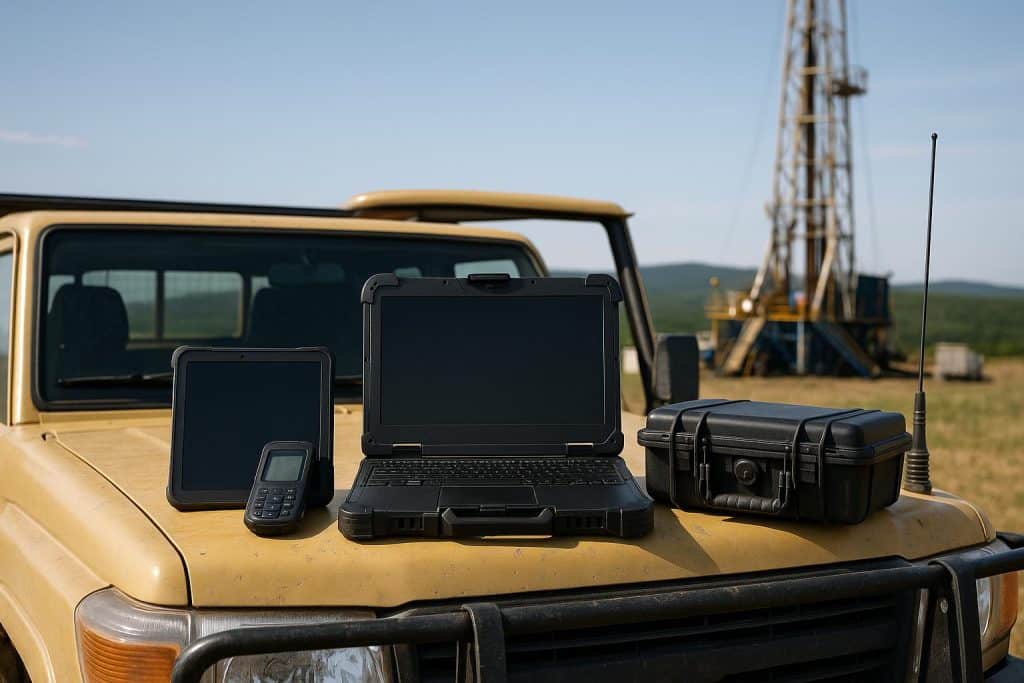
Field operations depend on technology that can work outside controlled office environments. Standard computers, tablets, and displays often fail when exposed to vibration, shock, dust, moisture, unstable power, heat, cold, and constant movement.
Rugged hardware is built for those conditions. It supports teams working in defense, utilities, transportation, emergency response, mining, construction, agriculture, logistics, and remote inspection.
The goal is not only device durability. Rugged systems help field teams collect data, process information, communicate clearly, and make decisions when delays or failures can disrupt the entire operation.
Why Standard Hardware Fails in the Field
Commercial hardware is usually designed for clean indoor use. It may perform well on a desk but struggle in vehicles, mobile command centers, outdoor sites, and industrial work zones.
Common failure points include cracked screens, overheating, loose connectors, battery issues, corrupted storage, port damage, water exposure, and vibration-related component wear.
Field operations also create access problems. A technician may be far from IT support. A crew may be operating under strict timing. A vehicle may be moving while equipment is in use.
In those conditions, downtime is expensive.
What Rugged Hardware Does Differently
Rugged hardware is engineered around environmental stress. The design focuses on stronger enclosures, sealed components, secure mounting, shock resistance, thermal management, and stable connectivity.
For mobile and mission-critical environments, a mission computer can support real-time processing, sensor integration, communications, and control tasks where standard devices may not be reliable enough.
The difference is not only the outer casing. Rugged systems are designed as operating tools, not consumer devices placed inside tougher shells.
They must support consistent performance under vibration, temperature shifts, electrical noise, and physical handling.
Support for Mobile Teams
Field teams often work from vehicles, temporary stations, outdoor locations, or remote facilities. Their hardware must move with them and remain stable during transport.
Rugged laptops, tablets, displays, and computers can be mounted in vehicles or field kits without frequent disconnection.
This helps crews access maps, work orders, inspection data, equipment diagnostics, sensor feeds, and communication platforms while away from fixed offices.
Key Mobile Use Cases
Common use cases include:
- Utility inspections
- Emergency response
- Fleet operations
- Remote equipment monitoring
- Field data collection
- Construction site coordination
- Defense operations
- Transportation control
- Environmental testing
The hardware must keep working while users move between locations.
Protection Against Environmental Stress
Field hardware is exposed to harsher conditions than office equipment. Dust can clog ports and cooling paths. Moisture can damage boards. Heat can reduce performance. Cold can affect displays and batteries.
Rugged devices use sealed designs, controlled airflow, thermal paths, reinforced ports, and stronger housings to reduce these risks.
Some systems are tested against industry standards for vibration, shock, temperature, water ingress, and dust resistance.
The right protection level depends on the worksite. A warehouse vehicle terminal does not need the same configuration as a military field unit or offshore inspection device.
Reliable Data Collection
Field work often depends on accurate data. Crews may capture measurements, photos, sensor readings, GPS points, inspection notes, maintenance records, or incident reports.
If hardware fails during collection, the operation may lose data or require repeat visits.
Rugged hardware reduces that risk by supporting stable input, local storage, device connectivity, and field-ready interfaces.
It can also connect with cameras, scanners, radios, GPS modules, diagnostic tools, and industrial sensors.
Good data collection requires hardware that can survive the same conditions as the people using it.
Connectivity in Difficult Locations
Connectivity is one of the biggest field challenges. Teams may work in remote areas, moving vehicles, metal structures, dense facilities, or disaster zones where networks are unstable.
Rugged systems often support multiple communication methods, including wired connections, cellular, satellite, radio, GPS, and local networks.
They should also support offline workflows.
If a connection drops, users should still be able to capture data, continue tasks, and sync when service returns.
Power Stability and Battery Planning
Field operations need reliable power. Devices may run from vehicle power, external batteries, generators, or local power systems.
Unstable power can damage equipment or interrupt work.
Rugged systems may use wide-input power ranges, power conditioning, secure connectors, hot-swappable batteries, or vehicle-rated power options.
Power Features to Review
Important features include:
- Battery runtime
- External power compatibility
- Hot-swap support
- Secure power connectors
- Surge protection
- Vehicle power support
- Low-power modes
- Thermal behavior under load
Power planning should be reviewed before deployment, not after the first outage.
Easier Maintenance and Longer Service Life
Rugged hardware often costs more upfront, but it can reduce replacement cycles, service calls, and downtime. This matters when equipment is used daily in demanding conditions.
Maintenance planning should include firmware updates, connector inspection, battery replacement, mounting checks, cleaning schedules, and spare unit availability.
Field teams should also receive basic handling instructions.
A rugged device is stronger than a standard device, but it still needs proper care to perform over time.
Better Operational Continuity
The main value of rugged hardware is continuity. It keeps teams working when the environment is unpredictable.
A reliable device allows crews to access instructions, communicate status, collect evidence, process data, and complete tasks without waiting for replacement equipment.
This improves safety, scheduling, reporting, and decision-making.
For growing field operations, rugged systems also make technology deployment more consistent across teams and locations.
Final Thoughts
Rugged hardware supports field operations by reducing failures, protecting data, improving mobility, and keeping essential systems available in difficult environments.
The best setup depends on the job, location, power source, connectivity needs, mounting method, and expected exposure.
Companies should evaluate rugged hardware as part of operational infrastructure, not only as an equipment purchase.
When devices are built for the field, teams can work with fewer interruptions and more confidence.