

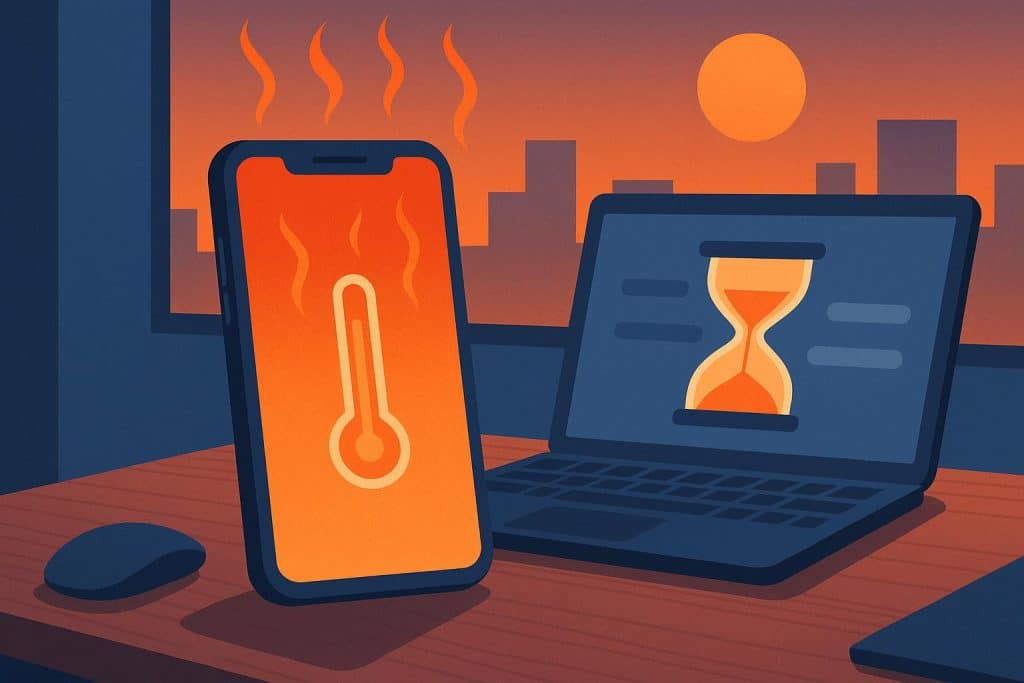
Your phone stutters mid-presentation. The hotspot drops just as a colleague joins. A long video call freezes at the worst moment. It’s easy to blame weak Wi-Fi or an aging device—but the real culprit might be heat.
In 2026, more professionals run serious workloads on their phones than ever before. Back-to-back calls, cloud apps, hotspots, and field tools push hardware that was never designed for all-day strain. The result is a quiet productivity drain that few people connect to temperature.
This guide breaks down how smartphone overheating slows your workday and what to do about it.
The Phone Has Become a Primary Work Tool
A decade ago, your phone was a companion device. Today, it’s often the main one. Remote and hybrid work have pushed phones into roles laptops used to own—and that shift comes with a thermal cost.
Think about a typical remote workday on mobile:
- Hours of video calls and screen sharing
- A hotspot powering a laptop or tablet
- Cloud apps sync files in the background
Each task is demanding on its own. Stacked together across a full day, they keep the processor working far harder than casual use ever did. When a phone works hard for hours, heat builds faster than the device can shed it. And once heat builds, performance starts to slip. This has a bad effect on phone performance and is ineffective for work.
Thermal Throttling and the Slowdowns You Feel at Work
Every smartphone relies on thermal throttling. When internal temperatures climb past a safe limit, the chip deliberately slows itself down to avoid heat damage. It’s a protective feature—but at work, it shows up as lag.
The pattern is familiar to anyone who runs heavy tasks on mobile:
- The phone feels snappy first thing in the morning.
- By mid-afternoon, apps open more slowly and switching feels sluggish.
- Typing, scrolling, and loading all lag behind your taps.
That decline isn’t your imagination, and it usually isn’t a failing device. As the temperature rises, the processor scales back its speed to cool off. You feel that directly as choppy, unresponsive performance right when your workload peaks.
This is often a heat symptom, not a software problem.
How Heat Disrupts Video Calls and Live Collaboration
Video calls are one of the hottest tasks a phone can run. The camera, display, network radios, and processor all work at once, often for an hour or more without a break. That sustained load drives temperatures up fast.
When the phone throttles mid-call, the effects are immediate and visible:
- Dropped or stuttering video frames
- Frozen screens during screen sharing
- Audio glitches and sync delays
- In extreme cases, an overheating shutdown
The cost here is higher than a moment of awkwardness. A frozen screen during a client pitch or a shutdown in the middle of a team standup undermines the one thing your work phone needs to be: reliable. When you depend on it for live collaboration, heat quietly chips away at your credibility.
Multitasking, Productivity Apps, and Hotspot Strain
Few people run just one app during a workday. You’re switching between email, a messaging tool, a cloud document, and a calendar—often while tethering a laptop through your hotspot. Every one of those tasks adds heat.
Hotspot use deserves special attention. Sharing your connection forces the network radios to work continuously, making it one of the biggest heat sources in mobile work. Pair that with active apps syncing in the background, and the processor never gets a chance to cool.
As throttling kicks in, the slowdown spreads across everything:
- File syncing crawls
- Cloud tools take longer to load
- App switching feels heavy and delayed
The hidden cost is time. None of these delays feels dramatic on their own—a few seconds here, a brief freeze there. But across a full day of mobile work, those small interruptions add up to real lost hours.
How to Solve the Phone Overheat Problem
So how do you keep a work phone below its throttle point? You have two broad options: passive cooling and active cooling.
Passive methods are the ones most people already try:
- Lowering screen brightness
- Closing background apps
- Removing a heat-trapping case
- Taking short breaks to let the device cool
These help, but they share one limit—they can’t keep up with sustained, all-day load. They slow how fast heat builds, but they don’t actively remove the heat a working phone generates. On a busy day, you’ll outpace them.
Active cooling takes a different approach: it pulls heat away from the device instead of just reducing how fast it accumulates. The most effective versions use semiconductor refrigeration, also called Peltier cooling. A small electric current moves heat from one side of a thermoelectric module to the other, cooling the surface against your phone. Active cooling devices built on this principle can drop a phone’s temperature below the surrounding air—something no case adjustment or break can do.
That’s the practical difference. Active cooling holds the phone below its throttle point, so it stays fast and stable through long calls, heavy multitasking, and extended hotspot sessions.
Practical Habits to Keep Your Work Phone Cool
You don’t need to overhaul your setup—just build a few deliberate habits and add the right gear. Here’s a routine that keeps a work phone fast through a demanding day:
- Work in cooler spaces. Keep the phone out of direct sunlight and off hot surfaces like sunlit desks or car dashboards.
- Separate charging from heavy use. Charging while running calls or a hotspot stacks heat fast. When you can, avoid doing both at once.
- Monitor temperature. Use built-in settings or a third-party tool to watch device temperature, especially before important calls.
- Lighten the load when possible. Close apps you aren’t using and pause non-essential background syncing during peak tasks.
- Add an active cooling accessory for sustained work. Pair these habits with a cooler to hold the device below its throttle point during all-day sessions.
The first four steps reduce how fast heat builds. The fifth removes it. Together, they protect both your performance and your device’s long-term battery health.
Final Thought
Thermal performance is a real productivity factor, not a hardware footnote. A hot phone throttles, lags, and can shut down at the worst moment. A cool phone stays fast, holds steady through long sessions, and protects battery health over time.
Passive habits are a good start, but they have limits. For professionals running heavy workloads on mobile all day, active cooling is what actually keeps performance consistent. Assess your setup on your busiest days—if heat is slowing you down, it’s worth addressing directly.