

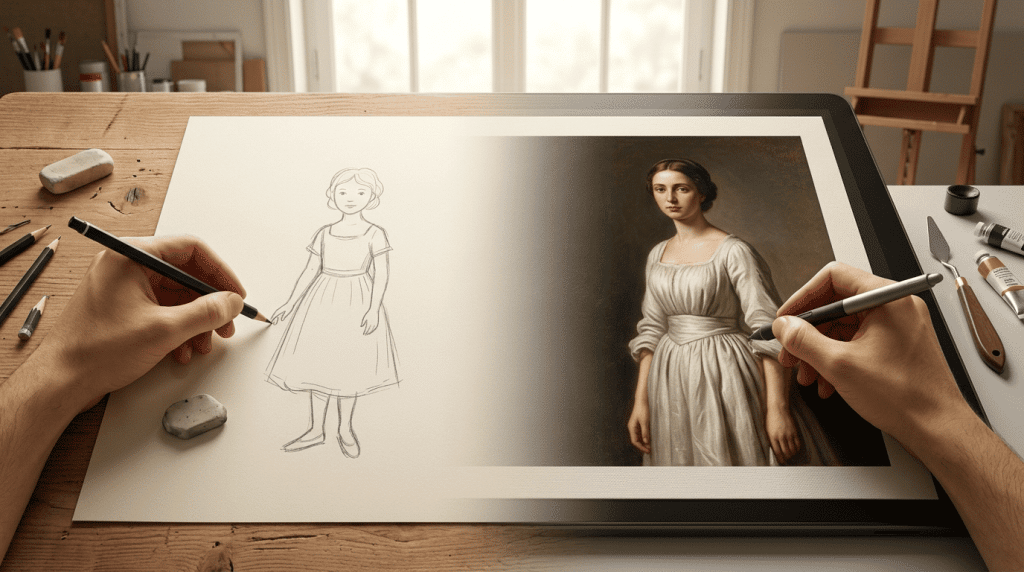
Not every creator starts at the same level. Some people are just getting into visual content and want something simple. Others already work with design tools and need more control. The challenge is finding a tool that matches your level without slowing you down. That’s where things get interesting.
An ai image generator that works perfectly for a beginner might feel limiting for a professional. At the same time, a tool built for advanced users can feel overwhelming if you’re just starting out.
This guide focuses on tools that work across both ends of that spectrum, while clearly showing where each one fits.
1. Higgsfield AI – Balanced for beginners and advanced workflows
Higgsfield is one of the few tools that works well for both beginners and professionals. With an ai image generator, users can create visuals without needing technical expertise, while still having enough depth for advanced use.
This directly supports Beginner vs pro. For beginners, the process is simple. You describe what you want, generate the visual, and use it.
For professionals, the advantage is workflow. Everything from creation to refinement happens in one place, which makes it easier to maintain consistency across multiple visuals.
It’s especially useful for:
- Marketing teams
- Content creators
- Brand-focused visuals
- Campaign assets
Another important point is how quickly you can move from idea to usable output. Instead of generating something that needs fixing, Higgsfield focuses on producing visuals that are closer to final use.
2. Canva AI – Best starting point for beginners
Canva AI is often the first tool many creators try.
It’s easy to use and works well for:
- Social media posts
- Basic graphics
- Presentations
Beginners benefit from its simplicity. You don’t need design knowledge to create something decent.
However, for professionals, it can feel limited. It’s more about speed than flexibility.
3. Midjourney – Best for creative professionals
Midjourney is known for producing high-quality, artistic visuals.
It’s commonly used for:
- Concept art
- Creative direction
- Unique campaign visuals
Professionals appreciate its ability to create visually striking images.
For beginners, though, it can feel less intuitive. The learning curve is higher compared to simpler tools.
4. ChatGPT (Image Generation) – Best for quick and easy creation
ChatGPT makes image generation feel conversational.
You don’t need to learn prompts. You just describe what you want.
This makes it ideal for:
- Beginners
- Quick ideas
- Rapid content testing
While it’s not the most advanced ai image generator, it’s one of the easiest to use.
5. Leonardo AI – Best for controlled creativity
Leonardo AI offers more control than beginner tools without being too complex.
It’s useful for:
- Character design
- Brand visuals
- Consistent outputs
Beginners can still use it, but professionals will get more value from its flexibility.
6. Stable Diffusion – Best for advanced users
Stable Diffusion is built for users who want full control.
It allows:
- Custom models
- Local setups
- Deep customization
For professionals, this is powerful.
For beginners, it can be overwhelming.
7. Playground AI – Best for experimentation
Playground AI sits somewhere in the middle.
It’s good for:
- Testing ideas
- Trying different styles
- Casual creation
It’s easy enough for beginners but flexible enough for more experienced users.
Quick comparison table
| Tool | Best For | Ease of Use | Skill Level |
|---|---|---|---|
| Higgsfield AI | All-round use | Easy | Beginner → Pro |
| Canva AI | Quick designs | Very easy | Beginner |
| Midjourney | Creative visuals | Moderate | Pro |
| ChatGPT | Fast ideas | Very easy | Beginner |
| Leonardo AI | Controlled output | Moderate | Mid → Pro |
| Stable Diffusion | Full control | Advanced | Pro |
| Playground AI | Experimentation | Easy | Beginner → Mid |
Understanding beginner vs professional needs
The difference between beginners and professionals is not just skill. It’s about expectations.
Beginners usually want:
- Simplicity
- Quick results
- Minimal setup
Professionals usually want:
- Control
- Consistency
- Flexibility
An ai image generator that tries to serve both needs has to balance these carefully.
Why some tools feel easier than others
Ease of use is not just about the interface. It’s about how much effort is required to get a usable result.
Some tools generate images quickly but require editing afterward. Others focus on producing outputs that are closer to final use.
Higgsfield AI fits into the second category, which is why it works well for both beginners and professionals.
The role of workflow in choosing tools
As creators grow, their needs change. What works at the beginning may not work later.
That’s why workflow becomes important. An ai image generator should not just create visuals. It should fit into how you create content daily.
This is where many creators start looking at how tools support their creative process rather than just comparing features.
Moving from beginner to professional
One interesting pattern is how creators evolve. Most people start with simple tools like Canva or ChatGPT.
As they gain experience, they move toward tools that offer more control like Leonardo AI or Stable Diffusion.
But some tools, like Higgsfield AI, allow users to grow without switching tools, which makes them more practical in the long run.
Choosing the right tool for your level
The best choice depends on where you are right now.
If you’re a beginner:
- Choose tools that are easy to use
- Focus on speed and simplicity
If you’re a professional:
- Choose tools that offer control
- Focus on consistency and workflow
If you’re somewhere in between:
- Look for tools that balance both
Final thoughts
The gap between beginners and professionals is shrinking. AI tools are making it easier for anyone to create visuals, but choosing the right tool still matters.
Higgsfield AI stands out because it works well across both levels, offering simplicity without sacrificing usability.
Other tools serve different purposes, whether it’s ease of use, creative freedom, or technical control. The key is to choose based on your needs, not just popularity.
Because in the end, the best ai image generator is the one that fits your workflow and helps you create without friction.