

Two-person marketing teams face an unfair equation: platforms reward daily publishing, but a single polished video used to take days. Most teams respond by posting less, then blame the algorithm when reach collapses. The volume problem is real, yet throwing more people at it rarely works either — coordination costs eat the gains.
This article lays out a production method built for constrained teams, covering asset strategy, an assembly-line workflow, quality control, and the measurement loop that keeps output honest rather than merely frequent.
Reframe the Problem: Throughput, Not Talent
Small teams usually have plenty of ideas and no capacity to execute them. The bottleneck sits in production, not creativity. Any method that meaningfully increases output must therefore reduce the number of manual steps between concept and published file, not simply speed up the people performing those steps.
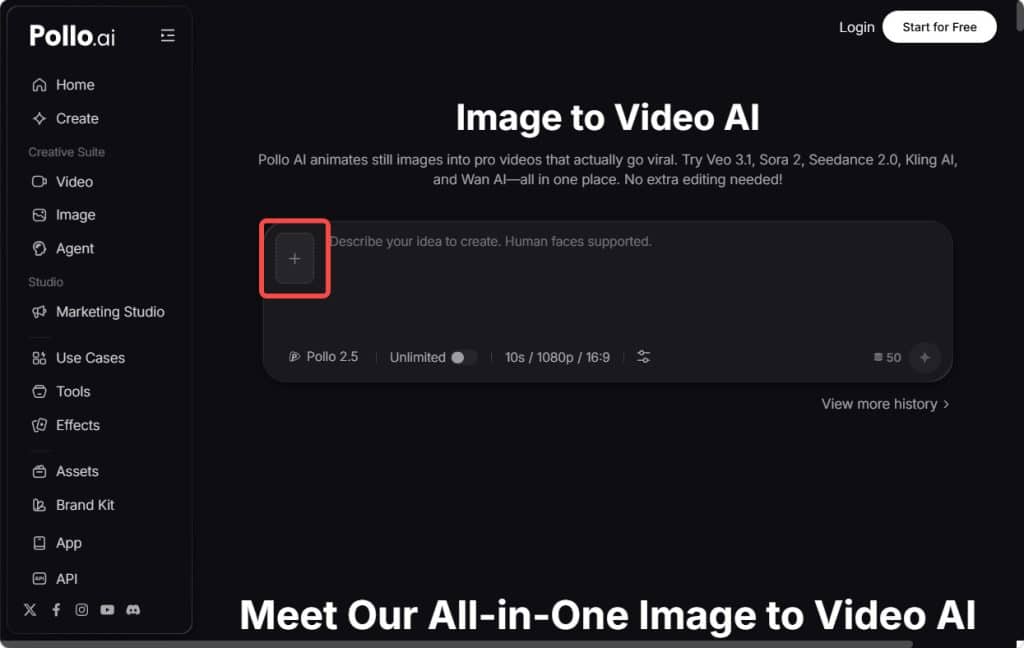
The most effective lever available today is generation from existing assets. Every brand already holds photography, packaging renders, screenshots, and event pictures. Turning that dormant library into motion costs a fraction of new filming. Inside Pollo AI, the Image to Video AI module handles precisely this conversion, aggregating multiple top-tier generation models so a still frame becomes a high-definition clip complete with fitting soundtrack and ambient audio, coherent movement, and preserved detail — output that is publishable without a separate edit.
The structural change here is worth naming. Video production used to be a project; it is becoming a process. Teams that internalise that shift stop scheduling shoots and start scheduling batches.
Build an Asset Bank Before You Build a Calendar
Spend one afternoon collecting every usable visual your company owns into a single organised drive. Tag by product, by scene type, and by usage rights. Most teams discover several hundred assets they had forgotten. This bank becomes the raw material for months of output, and it is the reason batch production works: you are never starting from an empty page on a Monday morning.
From Images to Revenue: An Ecommerce Creator’s Guide to AI Video Batch Processing
Step 1: Plan in themes, not individual posts
Choose one theme per week — a product benefit, a customer question, a seasonal angle. Ten videos on a single theme are far faster to make than ten unrelated ones, because research, tone, and copy patterns carry across.
Step 2: Batch-generate motion
Set aside ninety minutes to run your selected images through Image to Video AI in Pollo AI, generating two or three variations per source. Work through the queue mechanically without judging results mid-batch; evaluation happens afterwards with fresh eyes. This separation of generation from selection is the single biggest efficiency gain most teams report, and it suits merchants, in-house marketers, and freelance creators equally.
Step 3: Review as a group of clips, not one at a time
Lay all generations side by side and cut ruthlessly. Expect a keep rate near forty percent early on, rising as your prompting improves. Reject anything that distorts a logo, warps text, or moves unnaturally around a product edge.
Step 4: Adapt each keeper into commerce-ready formats
A clip is not an asset until it exists in the shapes your channels require. Placeit accelerates this stage with a library exceeding 180,000 AI-optimised, professionally designed templates, so producing a captioned vertical cut, a square feed version, and a banner variant becomes template selection rather than layout work. For teams selling physical goods, its mockup engine renders logos and prints onto moving items such as apparel or handheld devices with accurate perspective and lighting, replacing sample orders and photo days.
Step 5: Generate lifestyle context for product pages

Feed video converts browsers; product-page video converts buyers. The ecommerce-focused tooling in Placeit is designed for this second job, producing lifestyle scenes that help a shopper imagine the item in their own kitchen, gym bag, or living room. Online stores that add such sequences to key listings typically see stronger engagement precisely because the video answers usage questions the copy cannot.
Step 6: Schedule and stagger
Publish across the week rather than dumping a batch in one day. Staggering also gives you cleaner performance signals per creative angle.
Quality Control That Doesn’t Slow You Down
Adopt three fixed checks: is the product identifiable within one second, is the motion physically plausible, and does the audio support rather than distract. If a clip passes all three, ship it. Perfectionism at the asset level is the most common reason small teams fail to scale; the market judges the body of work, not the individual file.
Measure the Right Signals
Track three-second view rate for hooks, completion rate for structure, and click-through for offer clarity. Diagnose separately: a weak hook is a first-frame problem, weak completion is a pacing problem, weak clicks are a copy problem. Because regeneration is now cheap, each diagnosis leads directly to a targeted fix rather than a vague resolve to “make better videos.”
Conclusion
Scaling short-form video with a small team is an operations challenge disguised as a creative one. Build the asset bank, plan in themes, batch your generation, review in groups, adapt every keeper into channel-ready formats, and let performance data direct the following batch.
Run the loop for four weeks before judging it. Most teams find that the constraint they blamed on headcount was really a constraint on workflow — and workflows, unlike headcount, can be rebuilt this week.