

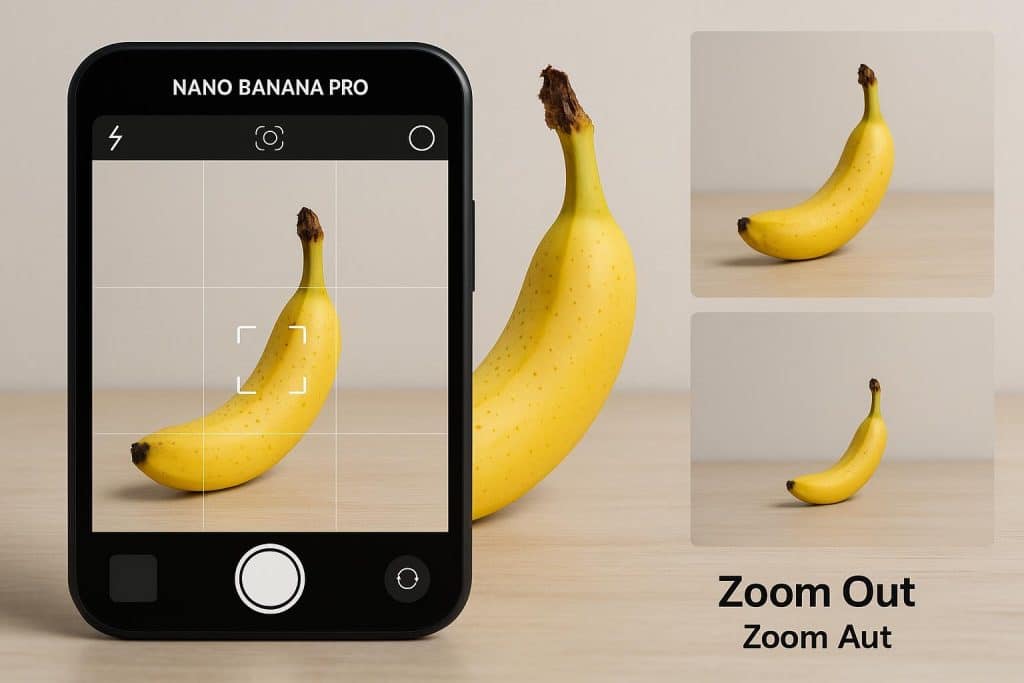
A mug looks good in a square photograph, but there is no space beside it for a headline. A Nano Banana Pro zoom out request should explain where that extra room belongs. Ask for a wider composition with a continuation of the tabletop, rather than leaving the model to guess what “zoom out” means.
Google describes Nano Banana Pro, also called Gemini 3 Pro Image, as an image generation and editing model. Its prompting guide recommends specifying composition, aspect ratio and direct editing instructions. You can use those controls to describe a wider picture. The added surroundings will be generated content, so they cannot tell you what was actually outside the original photograph.
Decide what kind of extra room you need
There are several ways to make an image feel less cramped. Extending its canvas adds space around the existing picture. Resizing changes the dimensions of the picture itself. Asking for a different camera view invites a new interpretation of the scene, including how objects appear from that view.
For the mug example, a wider canvas is the useful starting point. The mug should remain recognisable, and the extra table should provide space for a headline. There is no need to reveal an entire kitchen or change the angle of the handle.
A plain border may solve the problem without generation. Adobe’s Canvas Size documentation describes adding workspace around a picture while preserving its existing image data. If the final layout already has a coloured background, extending that colour can be enough.
Choose generated surroundings when you want the photograph itself to continue into the new area. That decision gives the edit a clear purpose.
Plan the frame before uploading the picture
Sketch a rectangle in the shape you need, then place a smaller rectangle inside it for the original photograph. This quick drawing answers questions a vague prompt leaves unresolved: where does the subject sit, which edges need more room, and how much of the final image should the subject occupy?
For a landscape layout, you might keep the mug toward the right and request additional tabletop on the left. If you only need a little headroom above a portrait, specify that instead of asking for more space on every side.
Save the original file separately. Look for objects touching its edges, such as a plate, chair or sleeve. An extension will have to interpret what continues beyond those boundaries. Decide whether those invented portions are acceptable for the picture’s intended use before spending time refining them.
Make the Nano Banana Pro zoom out prompt concrete
SeedRouter lists Nano Banana Pro among its image models. In whichever service you use, check how to supply an existing image and select the output shape. The following example is a creative brief to adapt, not a tested command or a promise about a particular interface:
Use the supplied mug photograph as the source. Create a wider landscape composition with additional tabletop on the left. Keep the mug on the right, with its current handle direction, printed design and camera angle. Continue the table’s grain and the existing lighting into the added area. Leave the new left-hand space clear. Do not add text or extra objects.
The brief describes a composition you can recognise when it appears. It also avoids asking the model to invent a kitchen, improve the mug or move the camera at the same time.
Set the aspect ratio through a dedicated control if the service provides one. Keep that setting consistent with the prompt. A landscape request paired with a portrait output setting gives you two incompatible targets to resolve.
Inspect the old edge, then the new space
The join between the source area and the extension deserves a close look. Follow the table’s grain across it. Look at whether a shadow continues in the same direction and whether a straight edge bends as it enters the new area.
Now inspect the mug itself against the original. Google warns that complex edits can introduce artifacts and that details may change. A wider composition is only useful if the subject still meets your requirements.
You can also check the Nano Banana Pro listing on reAPI when choosing an image-editing route. If you try another service, use the same original and framing brief. Keep provider settings with the result so you can explain differences without assuming identical controls or outputs.
Finally, view the whole composition at its intended display size. Place a temporary headline in the reserved area. This tells you whether you actually gained useful room; an attractive patch of new scenery is not helpful if the layout still feels crowded.
Keep the centre as a separate layer when it must stay exact
A preservation sentence in a prompt is a request. If the original mug must remain pixel-for-pixel intact, keep that source image on a separate layer in a conventional editor and treat the generated surroundings as another component.
Adobe’s layers documentation describes editing individual picture components separately. Applied here, that means you can retain the source and work on the surrounding material without replacing the centre with a regenerated version. You still need to align the images and blend their boundary. If their perspective or lighting cannot be reconciled, use a simpler background extension.
Keep a layered working file as well as the finished export. It lets you adjust the amount of added space later without losing track of the original.
For a Nano Banana Pro zoom out edit, judge success by the new framing and its intended purpose. Added tabletop can help a layout; invented rooms or landscape details should not be presented as a record of the original location. Save the source beside the expanded version so the difference remains clear.