

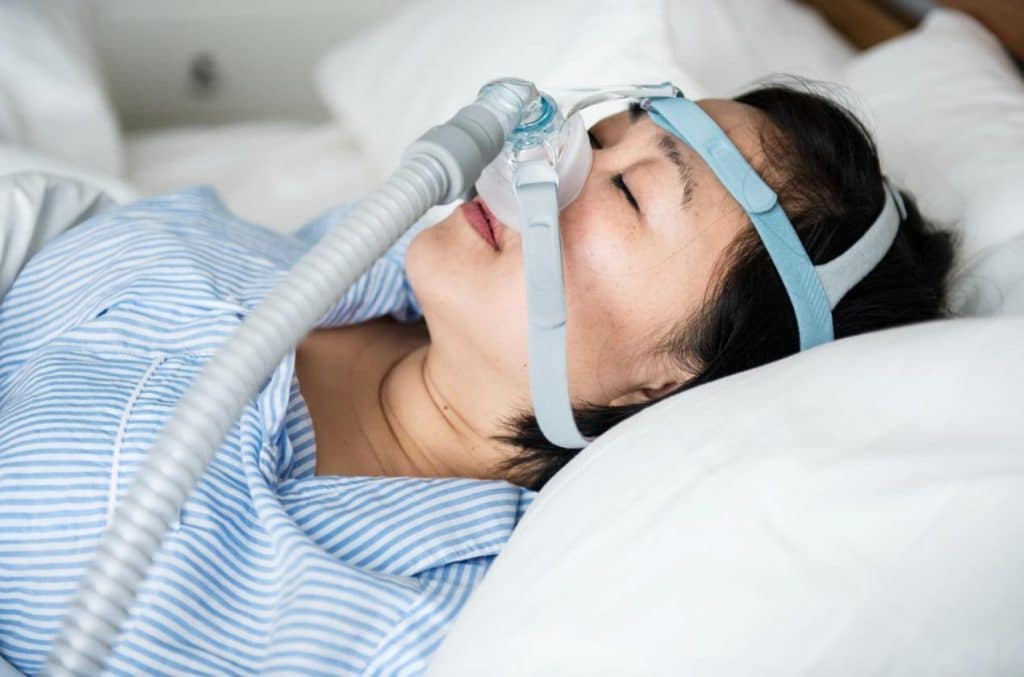
For clinical providers managing obstructive sleep apnea (OSA), determining the optimal CPAP machine settings is a balance of physiological necessity and patient tolerance. Traditional titration aims to identify the lowest effective pressure that adequately controls respiratory events. However, modern sleep medicine is shifting toward a more integrated approach. Rely solely on flow-based adjustments may lead to failure of addressing the physiological root of residual apnea events.
This guide outlines the precise technical steps for adjusting devices and introduces how to couple the CPAP machine with a pulse oximeter. This combination offers a superior, data-driven alternative for titration.
Why Does a Normal AHI Still Leave CPAP Patients Symptomatic?
Titration study is considered the gold standard for bedside treatment of OSA. Clinicians must identify the pressure that eliminates obstructive apneas, hypopneas, snoring, and respiratory effort-related arousals (RERAs). However, a significant challenge in clinical practice is the residual event—cases where the CPAP machine reports a low Apnea-Hypopnea Index (AHI), yet the patient remains symptomatic.
This discrepancy often arises because pressure settings are adjusted based on airflow limitations alone. By integrating pulse oximetry, physicians can correlate pressure changes with real-time oxygen saturation (SpO2) and pulse rate variability.
A more detailed understanding of the patient’s nocturnal physiology is made possible by this dual-layered data, which guarantees that the settings are successfully restoring systemic oxygenation rather than merely opening the airway.
Read More: How PPG Technology Reforms Sleep Studies and Aids in Sleep Apnea Diagnosis
How to Set Up a CPAP Machine for Your Patients
When a physician or clinic manager determines how to set up a CPAP machine, the configuration must be personalized based on the patient’s diagnosis, comfort levels, and potential comorbidities. Below are the six steps of initial setup.
1. Therapy Mode Setting
The choice of mode depends largely on the patient’s disease phenotype and pressure tolerance:
- CPAP (Fixed Pressure): Provides a single fixed pressure. Primary choice for standard OSA.
- APAP (Auto-Positive Airway Pressure): Automatically adjusts pressure based on the patient’s breathing patterns (e.g., flow limitation, snoring). Suitable for OSA patients without severe comorbidities (e.g., COPD or heart failure) or those unable to tolerate fixed high pressure.
- BiPAP (Bilevel): Delivers an Inspiratory Positive Airway Pressure (IPAP) and an Expiratory Positive Airway Pressure (EPAP). This is preferred for patients who cannot tolerate high CPAP pressures, or those with Obesity Hypoventilation Syndrome (OHS) and hypercapnia. Research indicates BiPAP is superior in reducing PaCO2 in patients with comorbid obesity and obstructive airway disease.[1]
2. CPAP Machine Pressure Settings
Most devices operate within a range of 4 to 20 cm H2O. While the average effective pressure for OSA patients is approximately 9 cm H2O, the starting point for manual titration usually begins at 4 cm H2O.
Clinical Adjustment Protocol:
- If the patient exhibits high BMI or severe obstruction, consider a higher starting pressure.
- If 2 or more obstructive apneas or 3 or more hypopneas are observed, increase the pressure by at least 1 cm H2O every 5 minutes until events subside.
3. Ramp Time and Patient Comfort
To help patients fall asleep more easily, use the Ramp Time feature. The machine starts at a lower pressure and slowly raises it to the therapeutic level over the course of 20 to 45 minutes. This is very important for patients who have high-pressure prescriptions and feel like the first airflow is too much for them.
4. Expiratory Pressure Relief
Technologies like Intelligent pressure release (IPR) maintain the therapeutic pressure during inhalation but drop the pressure slightly at the start of exhalation. This reduces the work of breathing (WOB) and alleviates the sensation of forced or uncomfortable exhalation that often leads to early therapy abandonment.
5. Managing the CPAP Machine Humidity Setting
Humidity affects the adherence a lot. Dryness leads to nasal resistance and inflammation. There are two primary types of humidifiers:
- Heated Humidifier: The recommended setting is a temperature between 35-37°C (95-98.6°F) with a relative humidity greater than 75%. Caution: Avoid exceeding 41 degrees Celsius to prevent thermal airway injury.
- HME (Heat and Moisture Exchanger): Often used in clinical/hospital circuits. One important thing about using HME is that it adds approximately 150ml of dead space. This increases the patient’s WOB and should be used cautiously in patients with severely compromised cardiopulmonary function.
6. Mask Interface Selection
- Nasal Pillows: Minimal contact; ideal for lower pressures and patients who feel claustrophobic.
- Nasal Mask: The first choice for standard OSA.
- Full Face Mask: Necessary for mouth-breathers, patients with frequent leaks, or those requiring very high pressures.

How to Assess the Need for CPAP Pressure Adjustment?
Clinicians must monitor the CPAP machine’s performance to determine if adjustments are necessary. The four metrics to monitor are:
1. Apnea-Hypopnea Index (AHI)
The target AHI is less than 5 events per hour. If the residual AHI remains high, it indicates that the current pressure is insufficient to splint the airway open.
2. Leak Rate
The machine’s capacity to maintain pressure and identify respiratory events is compromised by high leak rates, which are usually higher than 24 L/min. A high-pressure setting for the existing mask seal is frequently indicated by excessive leaks.
3. SpO2 and Oxygen Integration
The primary goal of CPAP is adequate oxygenation. At sea level, SpO2 should remain above 90%.
How to set up a CPAP machine with oxygen: If obstructive events are eliminated but SpO2 remains below 90% for 5 or more continuous minutes, clinicians should:
- Increase the pressure (specifically IPAP in BiPAP mode).
- Add supplemental oxygen at 1-2 L/min via a T-adapter in the circuit.
- Note: The therapy is deemed unsuccessful and a switch to BiPAP or ASV is necessary if SpO2 falls below 80% for longer than ten minutes.
4. Symptomatic Evaluation
Clinicians should look for the following signs during follow-up:
- Low Pressure Signs: Persistent snoring, excessive daytime sleepiness, morning headaches, and gasping sensations.
- High Pressure Signs: Difficulty exhaling, aerophagia (gas/bloating), ear pain, and frequent mask removal during sleep.
Challenges in Bedside Treatment and the Oximetry Solution
Clinicians face significant hurdles in maintaining patient compliance, which is traditionally defined as using the device more than 4 hours per night for more than 70% of days.
Side Effects and Compliance
Patients frequently stop treatment within the first three to seven days due to physical discomfort like nasal congestion, skin irritation, and aerophagia. Doctors need to remotely monitor compliance data and take early action. The chance of long-term failure rises dramatically if a patient misses two nights in a row during the first week.
Why Coupling with a Pulse Oximeter is Essential
Although CPAP devices offer flow data, they are not as accurate as direct oxygen monitoring. There are three clear benefits to using a pulse oximeter in conjunction with CPAP therapy:
- Capturing Micro-Desaturations: Standard CPAP algorithms may miss brief desaturation events that indicate high respiratory effort.
- PPG Technology: Modern oximeters using Photoplethysmography (PPG) can monitor Pulse Transit Time (PTT), a surrogate for respiratory effort and arousals.
- Long-term Longitudinal Data: By avoiding the first-night effect that occurs in laboratories, home oximetry offers a continuous monitor and a more accurate picture of how it functions in an actual setting.
Viatom Offers Solutions for Professional Sleep Management
To achieve the data-driven titration discussed in this guide, clinic physicians need reliable, high-precision hardware. Viatom provides an integrated ecosystem that simplifies the complexity of OSA management.
CPAP and BiPAP Machines
Viatom provides PAP series engineered with advanced algorithms for both CPAP and BiPAP modes. These machines feature:
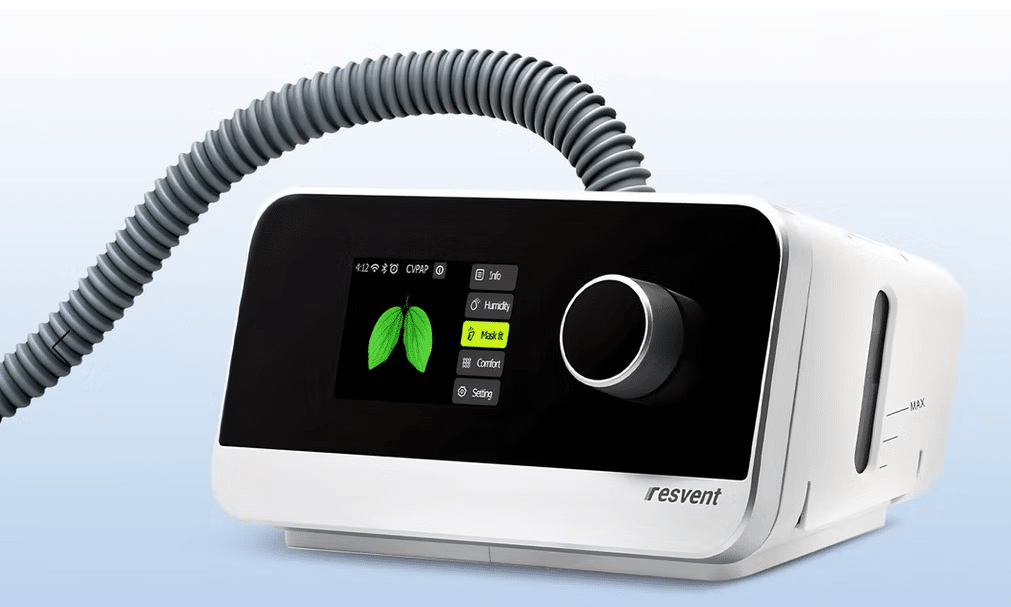
- Essential Volume Assured Pressure Support: Auto-tuned adjustments to ensure the lowest effective pressure.
- Integrated Humidification: Intelligent temperature control to prevent airway dryness while avoiding rainout in the tubing, improving patient adherence.
- User-Centric Design: High-definition displays that allow clinic managers to quickly review AHI and leak data at the bedside.
Viatom Pulse Oximeters
Viatom’s wearable pulse oximeters are designed specifically to be coupled with PAP therapy. Unlike standard finger-clip monitors, Viatom’s ring or wrist-based sensors offer:
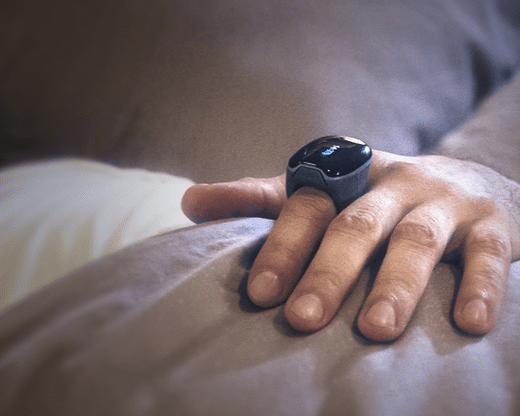
- Overnight Stability: They won’t fall off during sleep, ensuring a continuous SpO2 and heart rate log.
- Seamless Integration: Data can be synced to provide a comprehensive report that overlays oxygen saturation with CPAP usage.
- Vibration Alerts: Optional haptic feedback can alert the patient to change positions if oxygen drops, acting as a preventative measure during the titration phase.
The objective is clear for clinic managers and doctors: use data to optimize patient outcomes. You can offer a customized, clinically proven therapeutic experience by using integrated CPAP and oximetry solutions.