

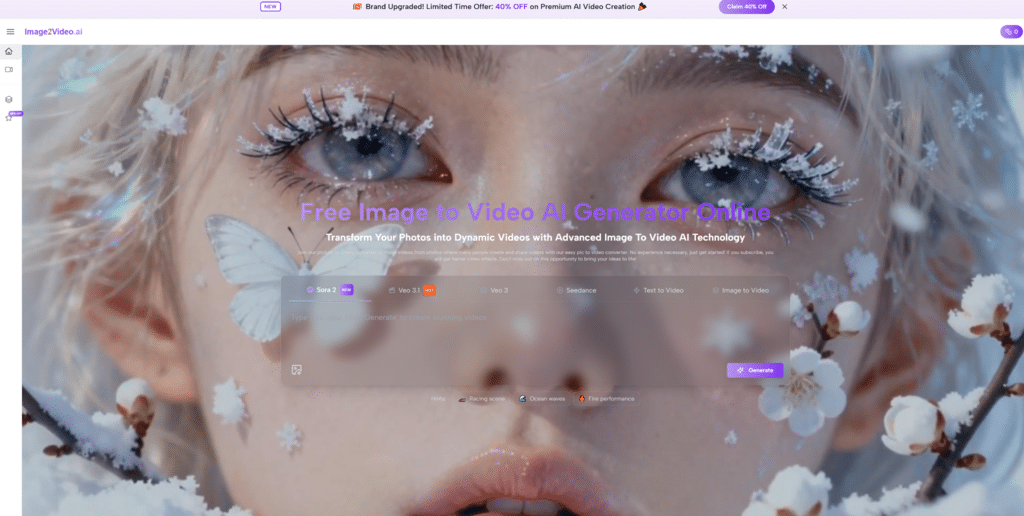
A lot of digital images are more useful than they look. A portrait can become a memory piece, a product image can become a sales asset, and a concept sketch can become a moving scene. The problem is that most people who have those images are not trained video editors, and many do not want to become one just to test an idea. That is why Image to Video AI stands out. It offers a direct route from still input to short motion output, using a browser workflow that feels closer to prompting than to traditional editing.
What makes this type of platform worth understanding is not only the novelty of AI motion. It is the way it changes creative timing. Instead of treating video as the last and hardest stage of production, it lets users start with motion much earlier. In my view, that shift matters because early motion testing helps people judge atmosphere, pacing, and visual attention before they commit to a larger production process. The result may not always be final on the first attempt, but the workflow itself opens creative options that used to require more tools and more effort.
Why Visual Workflows Are Being Rebuilt
The older workflow for turning still visuals into motion usually meant manual editing, motion graphics, or outsourcing. That structure still has value, especially when polish and control matter. But for many everyday creative tasks, it also creates unnecessary delay.
Speed Now Shapes Creative Decisions
When visual teams can test animation ideas quickly, they make decisions earlier. A campaign image can become a motion preview. A character portrait can become a dynamic scene test. A historical photo can become an emotional short clip. The importance here is not that every draft becomes final, but that more drafts become possible.
Accessibility Expands Who Can Create
A browser tool changes the audience. Instead of being limited to editors, motion artists, or technically confident users, the workflow becomes available to solo creators, students, social managers, and small teams. That kind of access tends to broaden experimentation.
How The Product Operates In Practice
The official structure is simple enough that the platform can be explained through its inputs, processing logic, and outputs.
Inputs Start With Image Or Text
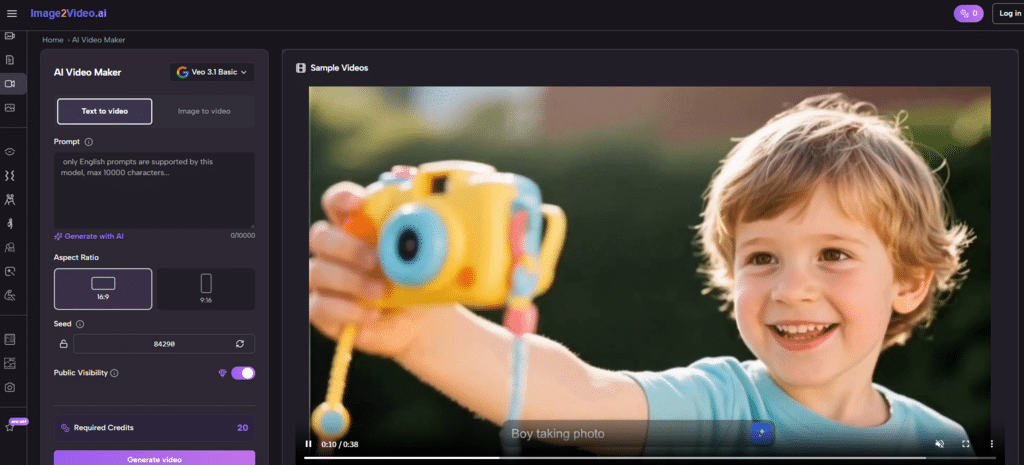
The site presents image-based and text-based routes. If the user begins with a still visual, that image becomes the reference point for motion generation. If the user begins with text, the system interprets language as the source of the scene.
Prompts Guide Direction Rather Than Editing
Unlike a manual video editor, this process is not driven by a timeline. It is driven by description. The user tells the system what kind of movement, camera behavior, or atmosphere should appear, and the generation engine interprets that request.
Output Arrives As A Shareable File
The platform returns MP4 output, which keeps the result practical. From a workflow perspective, this matters more than it may seem. The easier the export is to reuse, the easier it becomes to fit AI generation into ordinary content production.
What Makes The Experience Distinct
The platform is not only a blank prompt box for video. Its design suggests a broader product strategy.
It Combines Open Creation And Guided Effects
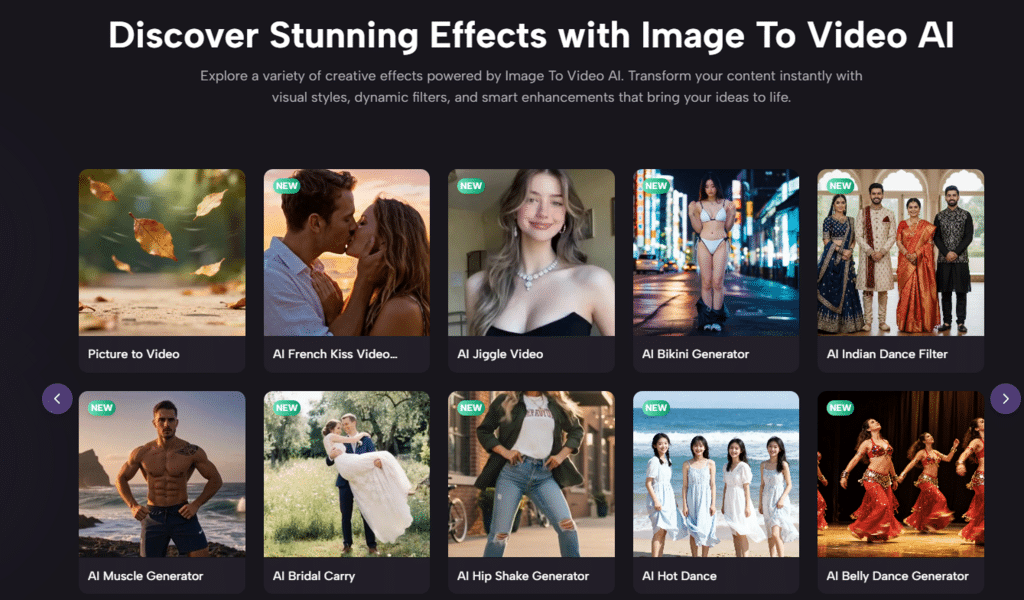
Alongside general generation, the site showcases category-driven effects such as kissing, dancing, hugging, fighting, old photo animation, and similar stylized actions. That means the experience serves both exploratory users and users who already know the type of effect they want.
Guided Formats Help Non Specialists
Many users do not need infinite creative freedom at the start. They need a reliable entry point. Guided formats are useful because they convert vague intent into a more manageable starting structure.
It Appears To Function As A Model Hub
The official materials also indicate access to multiple video and image model options. That is an important detail because it changes how the product should be understood. It is less a single-style engine and more a unified front end for different generation capabilities.
Different Models Can Suit Different Tasks
In my experience, model variety matters because not all outputs are judged by the same standard. One task may need more realism. Another may need more stylization. A third may simply need speed. A platform that offers choice can better support mixed creative needs.
How The Official Steps Stay Short
One reason this tool feels accessible is that the documented workflow remains compact.
Step One Uploads The Source Image
The user begins by uploading a still image in a supported format such as JPG or PNG, or by choosing a text-led mode if appropriate. This keeps the entry point familiar.
Step Two Writes The Motion Prompt
Next comes the prompt. The user describes the desired motion, visual mood, or camera behavior. The quality of this step often influences how coherent the result feels.
Step Three Lets The Platform Generate
After submission, the task is processed online. The site indicates cloud-based generation, which means the heavy work is performed on the platform side rather than on the user’s device.
Step Four Downloads The Final Clip
Once complete, the result can be downloaded as a ready video file. From there, the user can publish it directly or incorporate it into a larger workflow.
Where Image to Video Creates The Most Value
The easiest way to evaluate Photo to Video is to look at where it adds leverage rather than where it tries to replace a full studio pipeline.
Social Content Creation
A creator with a good still image can turn it into a short visual asset that feels more alive in feeds. This is especially helpful when deadlines are short and editing resources are limited.
Ecommerce And Product Storytelling
Product images often carry design detail but not narrative energy. Motion changes that. Even simple movement can make a product feel less like a listing and more like a presentation.
Personal And Emotional Media
Old photographs, portraits, and sentimental visuals often benefit from subtle motion because it adds presence without requiring a complex scene structure.
Fast Visual Prototyping
Teams can also use the output as a draft tool. Instead of treating AI video as the final artifact, they can use it to explore mood, framing, and direction before investing in more refined production.
A Practical Comparison Table
| Practical Dimension | What The Site Offers | Working Implication |
| Starting point | Supports still images and text prompts | Flexible for different creative habits |
| Creation mode | Browser-based generation | Easier access without software setup |
| Processing method | Cloud rendering | Less dependence on local performance |
| Video format | MP4 export | Simple publishing and reuse |
| Interaction style | Prompt plus template choices | Helpful for both guided and open creation |
| Access model | Free credits with paid upgrades | Suitable for testing before scaling usage |
Where The Limitations Become Visible
A balanced view matters here, because approachable tools can still have boundaries.
Short Duration Limits Narrative Depth
The platform’s short-video orientation is useful for modern online formats, but it also means users should adjust expectations. A short generated clip works well as a moment, a teaser, or an animated reaction. It is less suited to complex narrative progression in one pass.
Prompt Quality Still Matters
The tool reduces technical difficulty, but it does not remove creative ambiguity. A vague prompt can lead to generic motion. A poor source image can limit clarity. In my tests of similar workflows, specific instructions and clean input images usually lead to more stable outputs.
Iteration Remains Part Of The Process
Even with templates and guided modes, some generations will need retries. That is not necessarily a flaw. It is part of working with generative systems. The important point is whether iteration is fast enough to feel useful, and here the platform appears designed with that expectation in mind.
Why This Kind Of Tool Matters Beyond Convenience
It is easy to talk about AI video tools only in terms of novelty, but the deeper shift is workflow structure. They change the sequence of making things.
Motion Moves Earlier In The Creative Cycle
Instead of being reserved for the polished final phase, motion can now enter the idea phase. A team can test movement before storyboards are finalized. A solo creator can check visual energy before investing in a broader campaign.
Creative Risk Becomes Cheaper
When the process is easier, people try more options. That is good for experimentation. A strange concept, an emotional visual, or a product story can all be tested with less friction than before.
Lower Friction Often Produces Better Direction
People frequently discover what they really want only after seeing what they do not want. Faster generation supports that learning process.
What The Platform Suggests About The Future Of Media
This product reflects a broader transition: images are no longer expected to remain still. In digital spaces, audiences increasingly expect movement, even if that movement is brief. A platform that turns images into short videos fits that expectation while also making the process easier for ordinary users.
A Middle Layer Between Photo And Film
That may be the most useful way to define it. It is not a full replacement for film tools, and it does not need to be. Its role is to create a practical middle layer between still design and more advanced video production.
Useful Because It Expands Possibility
In the end, the platform’s value is not only in what it generates, but in what it permits. It allows more people to test motion, communicate visually, and explore ideas that would otherwise stay static. For many workflows, that is already a meaningful change.