

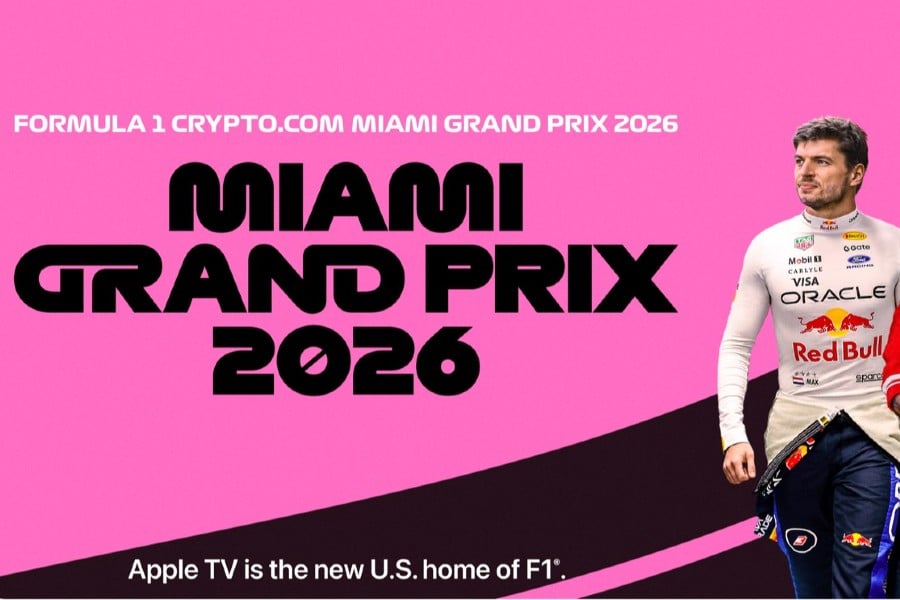
Watching the world’s fastest cars just got a major upgrade. Much like the NFL shifting Thursday games to Amazon Prime, industry data reveals a major digital pivot as Apple TV begins exclusive Formula 1 live-streaming with the Miami Grand Prix from May 1-3. By securing these exclusive broadcast rights, Apple completely bypasses traditional cable networks like ESPN, making their application the only way to catch live racing that weekend.
Your 3-Day Miami GP Viewing Schedule: Practice, Qualifying, and Race Day
Transforming everyday streets into a high-speed battleground makes the Miami International Autodrome race schedule completely unique. Because this temporary track features tight corners and concrete walls, passing other cars is incredibly difficult. This street circuit dynamic means where a driver starts is just as crucial as how fast they drive. The high-stakes drama builds over three distinct days.
Knowing when to tune in ensures you catch every pivotal moment:
- Friday (Practice): Drivers test the tricky layout and tune their cars.
- Saturday (Qualifying): The ultimate battle for starting spots. Drivers race the clock, and the fastest claims the front of “The Grid” (the starting lineup).
- Sunday (Grand Prix): The main event where all 20 cars race for the trophy.
How to Set Up Your Apple TV Stream Without the Tech Headache
Let’s clear up a common misconception: you do not need a physical Apple device to watch. The Apple TV app is simply software available on smart TVs and game consoles. When checking compatible devices for Apple F1 streaming, even Android phones work flawlessly. However, you do need the right access pass. Current Apple TV Plus F1 subscription pricing is $9.99 monthly. In any Apple TV vs F1 TV Pro comparison, remember that Miami is exclusively on Apple and blacked out everywhere else.
To avoid a last-minute scramble before the engines start, complete this simple five-minute checklist:
- Download the Apple TV app on your preferred screen.
- Sign in using any standard email or existing Apple ID.
- Activate your paid Apple TV+ subscription inside the app.
- Search “Miami Grand Prix” to start watching.
Maximizing Your F1 Weekend: 4K Quality and Interactive Features
Transforming your living room into the ultimate Miami race control center starts by activating the stunning 4K HDR Formula 1 streaming quality for crisper pictures and brighter colors. Once comfortable, utilize the Apple TV F1 Multiview setup to watch the main broadcast alongside a dedicated camera following your favorite driver. If the 200mph action ever stutters, the easiest way to fix Apple TV sports streaming buffering is by switching to a direct, wired internet connection.
This May, you aren’t just flipping channels hoping to catch the race; you are in complete control of a hassle-free viewing experience. Fire up your customized screen and prepare for the high-stakes thrill of Miami on your own terms.