

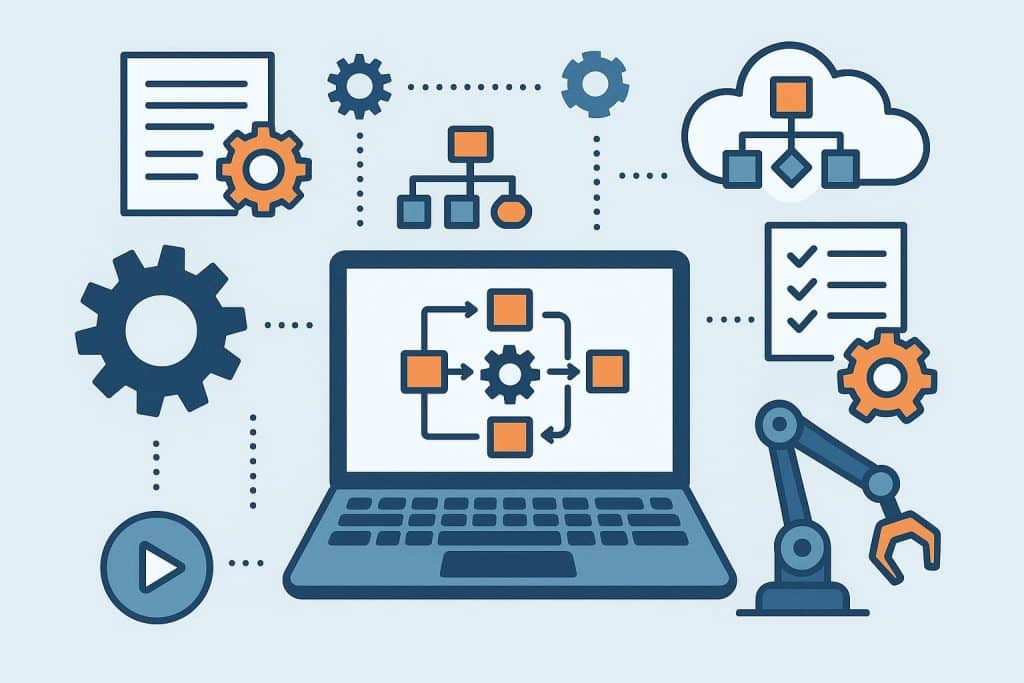
A 60-person ecommerce company calculated that its finance team spent 41 hours per week manually processing purchase orders and matching invoices. That’s the equivalent of a full-time employee whose entire job was copy-pasting data between PDFs, spreadsheets, and the accounting system. Meanwhile, the engineering team was running manual regression tests before every release, the support team was firefighting customer complaints about a broken search experience, and the on-call engineer had been paged seven times in two weeks for a transaction processing issue nobody could reproduce. The CEO described the situation as “growing pains.” Her CFO described it more accurately: the company was scaling its headcount instead of scaling its systems. Every additional dollar of revenue required more manual work, not less. The business needed business process automation tools across multiple functions, and it needed them before the next funding round exposed how unsustainable the operating model had become.
This pattern shows up across nearly every growing company. Manual work feels controllable at small scale. It becomes a tax on growth at medium scale. And at large scale, it becomes the single biggest constraint on how fast the company can move. The companies that scale efficiently identify which processes deserve automation, choose tools that fit their actual workflows, and connect those tools into systems where data flows without human intervention.
This article walks through the categories of business process automation tools, how to evaluate them against your specific operations, and what mature automation stacks look like in practice.
You’ll Learn
- Why automation decisions should follow process maturity, not technology trends
- The four functional domains where automation delivers the highest ROI
- How to evaluate codeless tools against developer-centric platforms
- Where monitoring automation fits into operational reliability
- How ecommerce search and procurement automation differ structurally
- A realistic comparison of point solutions versus integrated automation suites
- What automation stacks look like at companies of different sizes
- Common mistakes that turn automation investments into expensive shelfware
Why Automation Should Follow Process Maturity
The most common automation mistake is automating a broken process. When teams adopt new tools to fix workflow problems, they often discover that the tool simply executes the broken process faster — generating more errors more efficiently. Automation amplifies whatever process you feed it. If the underlying process is poorly defined, the automation produces faster failure rather than success.
Mature automation candidates share three characteristics. The process happens often enough that automation pays back the setup cost. The process follows consistent rules that can be expressed in software logic. And the inputs and outputs are clearly defined so the automation knows when it has succeeded or failed.
Processes that fail any of these tests should be documented and stabilized before automation enters the conversation. A purchase order workflow that takes 12 different paths depending on approver mood is not ready for automation. A QA process where engineers test “whatever feels risky this week” cannot be codified into test automation. A customer support workflow where escalation rules exist in tribal knowledge will produce inconsistent automation regardless of which platform handles it.
Once the process is mature, business process automation tools can deliver significant returns. The challenge is honestly assessing process maturity before tool selection, not after.
The Four Domains Where Automation Delivers the Highest ROI
Automation opportunities exist across nearly every function, but four domains consistently deliver outsized returns: software testing, application monitoring, customer-facing search and discovery, and finance/procurement operations. These four areas share a common pattern — repetitive work, clear success criteria, and significant downstream costs when manual processes fail.
Software Testing Automation
Engineering teams typically discover automation needs the hard way. A release goes out, a critical bug appears in production, and post-mortem analysis reveals that manual testing missed the regression because the QA engineer ran out of time. The cost of that single bug — engineering time to fix, customer trust damage, and rollback work — usually exceeds a year of automated testing tooling.
The category has evolved significantly. Traditional test automation required engineers to write code in Selenium, Cypress, or similar frameworks. Modern codeless automation testing tools let QA engineers and even product managers build automated tests through visual interfaces, recording user flows that translate into reusable test scripts. The trade-off is flexibility versus accessibility. Code-based frameworks offer maximum control but require ongoing engineering investment. Codeless platforms accelerate adoption but sometimes hit ceilings on complex testing scenarios.
The right choice depends on team composition. A startup with three engineers and no dedicated QA needs codeless tools that let the engineers write tests in minutes rather than days. A larger organization with a dedicated QA team and complex testing requirements often benefits from a hybrid approach — codeless tools for high-coverage smoke testing combined with code-based frameworks for sophisticated edge cases.
Application and Transaction Monitoring
Monitoring sits in an interesting position. It is automation that watches other automation, alerting humans only when something requires attention. The category includes basic uptime monitors, application performance monitoring (APM), error tracking, log aggregation, and the increasingly important field of transaction tracing.
Specifically, transaction monitoring tools track end-to-end requests across distributed systems, identifying which service in a chain caused a slowdown or failure. For modern applications built on microservices, this visibility is essential. A checkout flow might touch a payment service, a fraud detection service, an inventory service, and an order management service. Without transaction tracing, debugging a slow checkout means combing through logs from four different systems. With it, the slow segment is visible immediately.
The investment scales with system complexity. A small SaaS app with a monolithic architecture might survive on basic uptime monitoring and error tracking. A platform with dozens of microservices needs comprehensive observability — metrics, logs, and traces — to operate reliably. Underinvesting at scale produces predictable outcomes: long incident response times, recurring undiagnosed performance problems, and engineers who burn out from chronic firefighting.
Customer-Facing Search and Discovery
Ecommerce, marketplaces, content platforms, and SaaS products all share a critical automation surface: site search. Most companies treat search as a checkbox feature handled by whatever their platform provides by default. The companies that treat search as a competitive surface — instrumenting it, optimizing it, and automating the response to common failure patterns — capture substantially more revenue per visitor.
A specific failure pattern deserves attention: the no results found page. When a customer searches for a product or topic and the system returns nothing, several things should happen automatically. The query should get logged for analysis. Synonym mappings should be evaluated for gaps. Related products or content should surface as alternatives. And merchandising teams should receive alerts when a frequently-searched term consistently returns zero results, signaling either a missing inventory item or a search relevance gap.
The companies that automate this entire workflow recover revenue that would otherwise leak silently. Studies of ecommerce site search consistently show that zero-result searches correlate with abandonment rates of 30 to 50%. Automating the response to those queries — through better synonym handling, AI-powered intent matching, or merchandised alternatives — reduces abandonment meaningfully.
Finance and Procurement Operations
Back-office finance is where manual work hides in plain sight. Purchase orders get created in email threads. Invoices arrive as PDFs and get manually entered into the accounting system. Three-way matching between PO, receipt, and invoice happens spreadsheet-by-spreadsheet. Approval workflows route through Slack messages that get forgotten. Each step is small. The aggregate cost is enormous.
Dedicated invoice and purchase order software automates these workflows end-to-end. Requesters submit purchase requests through structured forms. Approvers receive notifications with full context. Approved POs generate automatically and route to vendors. Invoices arrive into a system that matches them against POs and flags discrepancies. The accounting system receives clean data without manual entry. Audit trails exist by default.
The ROI math is straightforward and usually compelling. A finance team spending 40 hours per week on manual PO and invoice processing represents roughly $90,000 to $130,000 in fully-loaded annual cost. A procurement automation platform typically costs $15,000 to $40,000 per year for mid-sized companies. The payback period is usually under six months, with additional benefits in spend visibility, compliance, and vendor management.
Evaluating Codeless Tools Against Developer-Centric Platforms
The decision between codeless and code-based automation runs through nearly every category — testing, workflow automation, data integration, and analytics. The choice has long-term consequences for who can maintain the automation, how fast it can evolve, and where it eventually breaks down.
What Codeless Actually Means
Codeless tools provide visual interfaces for building automation without writing code. Users drag, drop, configure, and connect components through a UI. Behind the scenes, the platform generates the underlying logic — sometimes generating actual code, sometimes interpreting visual configurations at runtime.
The category has matured significantly. Early codeless tools were toys with serious limitations. Modern platforms handle sophisticated workflows: conditional logic, loops, error handling, parallel execution, and integration with hundreds of external systems. The best ones are genuinely powerful, not just accessible.
Where Codeless Wins
Codeless tools win in three scenarios. First, when the people closest to the process are not engineers. A QA analyst can build codeless tests without engineering involvement. A finance team can build approval workflows without IT support. A marketing team can build campaign automation without developer dependencies. The acceleration is dramatic — work that would take weeks of engineering time happens in days at most.
Second, codeless tools win for processes that change frequently. Visual interfaces make changes safer and faster than code modifications. When a business rule shifts — new approval thresholds, new product categories, new compliance requirements — a codeless workflow can be updated and redeployed in minutes. A code-based equivalent requires development time, code review, testing, and deployment.
Third, codeless tools win when the cost of engineering time is a constraint. Most companies have more automation opportunities than engineering capacity. Codeless tools let non-engineering functions automate their own work, freeing engineering capacity for problems that genuinely require code.
Where Code-Based Wins
Code-based platforms win when requirements exceed what visual interfaces can express, when performance matters at scale, or when the automation needs to integrate deeply with proprietary systems. Complex test automation often hits ceilings in codeless platforms because the specific assertions or workflow patterns required cannot be expressed visually. High-volume data pipelines often need code for performance optimization. Custom integrations with internal systems usually require code-level access.
The honest assessment is that most companies need both. A practical stack uses codeless tools for the 80% of automation that fits standard patterns and code-based tools for the 20% that requires real engineering. Forcing everything into one category produces inefficiency in both directions — engineering bottlenecks on simple automations or fragile codeless workarounds for complex problems.
Point Solutions vs. Integrated Automation Suites: A Real Comparison
Once a company commits to automation seriously, it faces an architectural choice that mirrors decisions in other software categories. Consolidate around an integrated suite that promises to handle multiple automation domains, or assemble best-of-breed point solutions for each specific function.
The Case for Integrated Suites
Platforms like UiPath, Workato, Zapier (at the enterprise tier), and Microsoft Power Platform pitch themselves as comprehensive automation environments. They handle workflow automation, RPA (robotic process automation), integration, and increasingly include monitoring and AI capabilities. The advantages are real: one vendor relationship, unified user training, consistent data model across automations, and centralized governance for compliance-conscious organizations.
For enterprises with strong IT governance requirements, integrated suites reduce the operational complexity of supporting automation across departments. A single platform with consistent security, audit logging, and access controls is easier to govern than five different platforms with five different security models.
The Case for Point Solutions
Point solutions win when specialized capabilities matter more than consolidation. A dedicated testing platform built specifically for QA workflows offers depth that general automation suites cannot match. A purpose-built procurement platform handles vendor management, spend analytics, and three-way matching in ways that horizontal automation platforms approximate at best. A specialized monitoring tool tracks distributed systems with depth that no general-purpose platform replicates.
The trade-off is integration overhead. A specialized stack with five purpose-built tools requires five vendor relationships, five renewal cycles, and ongoing integration work to keep data flowing between systems. For companies with limited operational engineering capacity, this overhead can offset the specialized capability gains.
Hybrid Approaches in Practice
The pattern that emerges at most mature companies is hybrid. A central integration or workflow platform handles cross-functional automation — anything that touches multiple departments. Specialized point solutions handle domain-specific automation where depth matters. The two layers connect through APIs, webhooks, or middleware.
A concrete example illustrates the pattern. A 200-person SaaS company uses Workato as its central integration backbone, connecting Salesforce, HubSpot, NetSuite, and several internal systems. It also runs specialized tools at each domain layer: a dedicated test automation platform for QA, a purpose-built APM and transaction monitoring tool for engineering, a procurement platform for finance, and a search optimization tool for its customer-facing product. Workato handles the cross-system data flow. The specialized tools handle their respective domains with depth. Neither could replace the other without compromise.
Deep Dive: Building the Automation Layer Across the Customer Journey
Most automation conversations focus on internal efficiency — back-office processes, IT workflows, testing pipelines. The more strategic conversation runs through the customer journey itself. Every interaction a customer has with your product or company is either supported by automation or executed manually. The companies that deploy business process automation tools strategically across the customer journey create experiences that feel responsive, personalized, and reliable. The companies that automate only the back office often produce internal efficiency while still delivering frustrating customer experiences.
The Discovery Stage
Discovery automation includes everything that helps prospects find your product, evaluate it, and self-qualify. Search engine optimization signals get monitored and adjusted through automation. Personalized content recommendations on your website trigger based on visitor behavior. Chatbots route inquiries to the right resource. Sales engagement platforms surface prospect intent signals to sales teams.
The most underutilized automation at this stage is around content gap analysis. Most companies publish content reactively based on what the marketing team thinks customers want. Sophisticated companies instrument search queries, support ticket themes, and content engagement patterns to identify the questions customers are actually asking — then automatically surface those questions to content teams for prioritization. The automation is not in the writing; it is in the systematic identification of what to write.
The Purchase and Activation Stage
Purchase automation covers everything from cart abandonment recovery to onboarding workflows. The automation surface is dense at this stage because the consequences of failure are immediate and quantifiable. A broken checkout costs revenue in real time. A failed onboarding flow costs activation rates. A missed welcome sequence costs engagement.
Modern automation stacks instrument every step of the purchase and activation journey, measuring drop-off at each transition and triggering automated interventions when patterns indicate friction. A user who abandons the signup form receives an email sequence designed to bring them back. A user who completes signup but never logs in gets a different sequence. A user who logs in but never completes the activation event gets a third sequence. None of this is novel as a concept; what differentiates mature implementations is the depth of instrumentation and the speed of response.
The Retention and Expansion Stage
Retention automation includes customer health monitoring, usage-based outreach, churn prediction, and expansion opportunity identification. The automation here is increasingly powered by machine learning, with platforms ingesting product usage data and surfacing accounts that match historical churn or expansion patterns.
The mistake teams make at this stage is treating automation as a replacement for human relationships rather than as an enabler of better-timed human interventions. A customer success manager handling 50 accounts cannot manually monitor every signal across every account. Automation surfaces the accounts that need attention now, leaving the CSM to apply human judgment where it adds the most value. The combination of automated monitoring and timely human engagement consistently outperforms either fully manual or fully automated approaches.
The Support and Service Stage
Support automation has evolved significantly with the maturation of AI agents and knowledge base technologies. Routine inquiries get handled through self-service flows. Pattern-matched issues route to automated resolution paths. Complex issues escalate to human agents with full context attached. The economics are compelling — self-service deflection of routine inquiries reduces support cost per ticket dramatically while typically improving customer satisfaction for the routine cases.
The strategic question at this stage is where automation ends and human service begins. Companies that automate too aggressively produce customer frustration when complex situations get trapped in automated loops. Companies that automate too cautiously fail to capture the efficiency gains the technology now enables. The right balance is dynamic and varies across customer segments — enterprise customers expect different service levels than self-service customers, and automation strategies should reflect that.
Three Realistic Automation Stack Configurations by Company Size
Twenty-Person Early-Stage Company
A small company benefits most from automation that removes specific recurring pain points without requiring dedicated operations staffing. A representative stack includes Zapier for cross-tool integration, a codeless testing platform for QA, basic error tracking and uptime monitoring, and a lightweight workflow tool for approvals like Lever for hiring approvals or simple form-based tools for purchase requests. Total monthly automation tooling cost: roughly $400 to $1,200. The constraint at this stage is not budget but operational complexity. Adding more tools than the team can actually configure and maintain produces shelfware rather than results.
One-Hundred-Person Mid-Stage Company
A mid-stage company has both the volume to justify more sophisticated automation and the personnel to maintain it. The stack typically includes a dedicated workflow automation platform like Workato or Tray.io as the integration backbone, a comprehensive monitoring suite covering APM, logs, and transaction tracing, specialized procurement and finance automation, codeless test automation alongside code-based frameworks for the engineering team, and customer journey automation tools handling marketing, sales, and customer success workflows. Monthly automation tooling cost: roughly $8,000 to $20,000. This stage often includes dedicated automation or operations engineering headcount maintaining the stack.
Five-Hundred-Person Scale-Stage Company
At scale, automation infrastructure becomes a strategic asset that directly impacts unit economics. The stack often combines enterprise integration platforms (Workato, MuleSoft, or Boomi), dedicated RPA capabilities for legacy system integration, comprehensive observability stacks (Datadog, New Relic, or similar combined with specialized transaction monitoring), full-featured procurement and finance automation integrated with the ERP, and customer journey automation platforms instrumenting every stage of the funnel. Monthly automation tooling cost: roughly $50,000 to $150,000. Dedicated platform teams maintain the automation infrastructure as a core capability. The strategic distinction at this scale is that automation maturity becomes a competitive advantage, not just an operational efficiency play.
Common Mistakes That Turn Automation Into Shelfware
The first mistake is automating processes nobody owns. When automation gets implemented for a process without a clear owner, nobody updates it when business rules change. The automation continues executing yesterday’s logic in today’s environment, producing incorrect outputs that erode trust until the team eventually abandons the tool entirely. Every automation needs an owner responsible for keeping it current.
The second mistake is treating automation as a one-time project rather than ongoing infrastructure. Automation requires maintenance. Workflows need to be updated as systems change. Error handling needs to evolve as new edge cases surface. Performance needs monitoring as data volumes grow. Companies that fund automation projects but not automation maintenance see their tools degrade over 12 to 24 months until they become liabilities.
The third mistake is over-automating processes that benefit from human judgment. Not every decision should be automated. Some judgments require context that automation cannot capture, ethics that automation cannot navigate, or relationships that automation cannot replace. The discipline is identifying which processes truly benefit from automation versus which processes get automated because it feels modern. The latter category consistently disappoints.
The fourth mistake is choosing automation tools based on demos rather than operations. Vendor demos showcase the best case. Real operations include edge cases, error states, integration failures, and user error. Evaluating automation tools requires running pilots against your actual data, your actual edge cases, and your actual users — not just watching prepared demos in vendor environments.
FAQ
How do you justify investment in automation tools when the ROI is hard to calculate upfront?
The most reliable approach is to measure the time currently spent on the target process and project conservatively. If a finance team spends 30 hours per week on manual invoice processing, the loaded labor cost is calculable. Automation that reduces that time to 8 hours per week produces measurable savings, with additional benefits in accuracy, audit readiness, and team morale that don’t appear in the ROI calculation but matter operationally. Teams that wait for perfect ROI clarity usually underinvest because the second-order benefits are real but unquantifiable in advance.
Should companies build custom automation or buy commercial tools?
The default answer is buy unless you have a clear reason to build. Commercial automation tools have absorbed millions of dollars of development investment and handle edge cases your team would discover slowly. Custom builds make sense only when commercial tools genuinely cannot address the use case, when the automation creates direct competitive advantage, or when the integration requirements with proprietary systems exceed what commercial platforms support. Most “we need to build custom” arguments dissolve under honest examination.
How do automation tools change when AI capabilities mature further?
The most visible change is decision automation moving from rule-based to pattern-based. Traditional automation executes deterministic logic — if X, then Y. AI-powered automation handles ambiguous inputs, makes probabilistic decisions, and improves with feedback. Categories like document processing, customer support, and content moderation are seeing the most dramatic transformation. The teams that experiment with AI augmentation now develop the capability to integrate it strategically as it matures; teams that wait will be retrofitting capabilities competitors built years earlier.
What is the right sequence for a company starting an automation program?
Start with the process that combines high manual cost, clear rules, and a willing owner. The combination matters — automating a high-cost process without an owner produces shelfware, and automating an owned process with low manual cost produces marginal returns. Once one automation succeeds, the organizational appetite for more grows naturally. Trying to automate too many processes simultaneously dilutes attention and slows every project.
How should companies handle the people implications of automation?
The honest framing is that automation usually shifts work rather than eliminating it. The finance analyst whose manual invoice processing gets automated typically moves to higher-value work — vendor analysis, spend optimization, strategic procurement projects. Communicating this shift transparently matters; treating automation as a layoff strategy produces predictable resistance. The companies that handle this best involve the people closest to the work in designing the automation, ensuring the tools amplify their capabilities rather than threaten their roles.
Conclusion
Automation matters less than the discipline behind it. The companies that get measurable returns from business process automation tools approach the work as engineering — defining processes clearly, choosing tools that fit specific workflows, instrumenting outcomes carefully, and maintaining the resulting systems as ongoing infrastructure. The companies that approach automation as a shopping exercise accumulate tools that look impressive on slides but fail to deliver compounding value. The technology is increasingly capable. The strategic question is whether your team is ready to operate it well.
Key Takeaways: Effective business process automation tools succeed in proportion to the maturity of the underlying processes — automating a broken workflow produces faster failure, not better results. The four highest-ROI domains are software testing, application and transaction monitoring, customer-facing search and discovery, and finance and procurement operations, with each requiring different evaluation criteria. Codeless tools win for accessibility, frequent changes, and non-engineer users; code-based platforms win for complex logic, performance, and deep integration; mature stacks usually combine both. Start consolidated for small teams, layer in specialized tools as specific functions demand depth, and treat automation as ongoing infrastructure rather than one-time projects. The most strategic automation work happens across the customer journey, not just in the back office, and the discipline of owning, maintaining, and evolving automations matters more than the initial tool selection.