

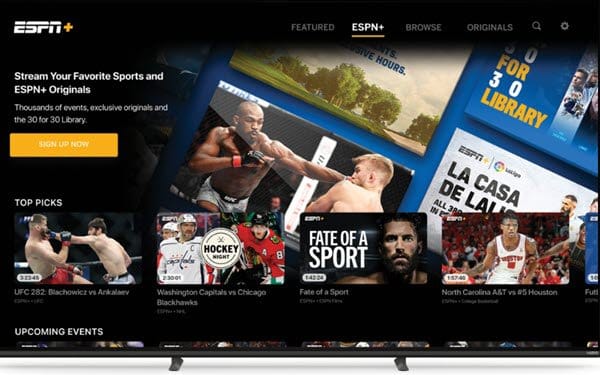
In a move that will delight sports enthusiasts and entertainment seekers alike, Vizio Smart TVs are now equipped with the ESPN app, enhancing the viewing experience with access to the Disney Bundle Trio. This addition marks a significant development for Vizio users, offering an expanded range of content options right at their fingertips.
The Arrival of the ESPN App on Vizio Smart TVs
Vizio, known for delivering high-quality and affordable smart televisions, has integrated the ESPN app into its Smart TV platform. This development allows users to enjoy live sports, exclusive shows, and original content from ESPN, directly on their Vizio Smart TVs. The app provides seamless access to a wide variety of sports events, including NFL, NBA, MLB, and college sports, making it a must-have for sports fans.
ESPN On Vizio: Access to the Disney Bundle Trio
An exciting feature of the ESPN app on Vizio Smart TVs is the inclusion of the Disney Bundle Trio. This bundle offers a comprehensive entertainment package, including Disney+, Hulu, and ESPN+. Users can enjoy a diverse array of content, from classic Disney movies and original series to Hulu’s extensive library of TV shows and films. The ESPN+ service also enhances the sports viewing experience with additional live sports, exclusive articles, and premium studio programs.
How to Get Started
Getting started with the ESPN app on your Vizio Smart TV is straightforward. Here’s a simple guide to help you set it up:
- Access the App Store: Turn on your Vizio Smart TV and press the ‘V’ button on your remote control to navigate to the SmartCast Home screen. From there, go to the App Store.
- Find the ESPN App: In the App Store, search for the ESPN app. Once you find it, select the app and install it on your TV.
- Sign In or Subscribe: Open the ESPN app. If you already have a subscription, simply sign in with your credentials. If not, follow the on-screen instructions to subscribe to the Disney Bundle Trio.
- Enjoy the Content: Once you’re signed in, you can start exploring the wide range of sports and entertainment options available through the Disney Bundle Trio.
ESPN On Vizio: What This Means for Vizio Users
The inclusion of the ESPN app on Vizio Smart TVs is a game-changer for users who are passionate about sports and entertainment. It simplifies access to a wide range of content, allowing users to switch effortlessly between live sports events, binge-worthy series, and family-friendly movies. This integration not only enhances the overall value of owning a Vizio Smart TV but also positions it as a versatile entertainment hub for households.