

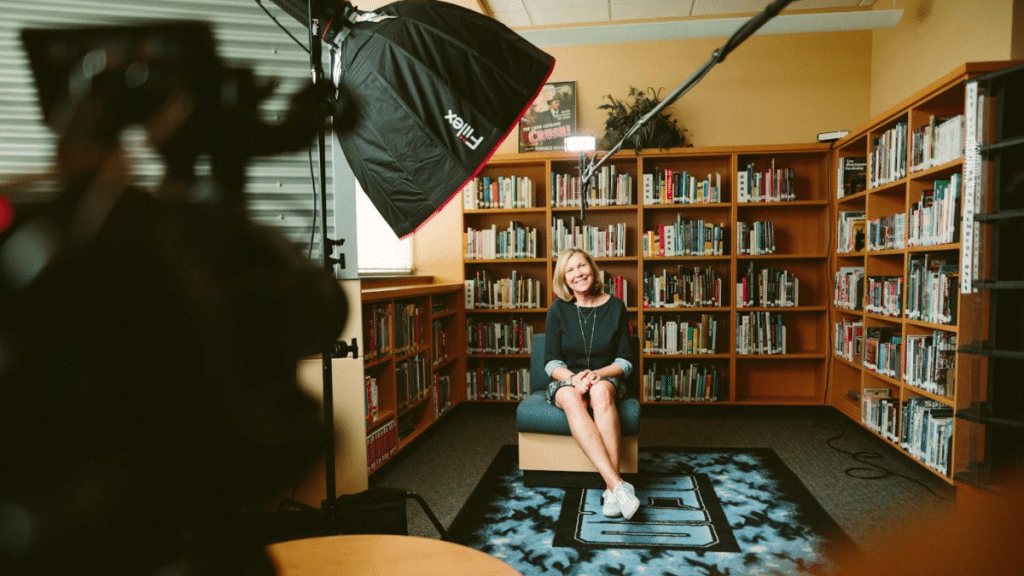
More and more often these days, people are choosing to create video versions of their resumes. There are many benefits to doing this: potential employers can get a better sense of your personality, you have the freedom to express your goals the way you want…the advantages are too great to list.
If you choose to go this route, you want to be sure that you go about the process correctly. What is a video resume, exactly?
Simply creating a video isn’t enough; there are distinct rules that need to be followed and a process you should go through in order. Let’s take a closer look at the steps involved.
1. Figure out what you want to get across
Taking the time to sit down and put major points for yourself is essential. This doesn’t mean you have to write out a script word for word, but think about the major things that you want potential employers to know about you. This will be the basis for your video.
How to introduce yourself in resume can be a make or break point, so it pays to sit down and do it right.
2. Determine where you want to film and create the right background
This is also an important point and one that many people neglect to handle properly. It became sorely obvious during the pandemic just how few people really bother to fix up their backgrounds when filming themselves or during online meetings.
Remember that not only your physical appearance, but also the appearance of your surroundings says a lot about you and what type of worker you will potentially be. This applies to both things like the neatness of your room, and also subtle things like choosing the correct lights for your shoot.
3. Test your audio and equipment
Before you start making videos, it is absolutely essential that you test all of your audio and whatever other equipment you use. If your voice gets broken or lost amidst the sound of your air conditioner then all your efforts will be in vain.
Another thing you should do is test the quality of your sound on different devices (this goes for your appearance, as well). You never know what type of device your potential employers will be watching on. And just because you are audible on your own computer doesn’t mean your video will have the same effect elsewhere.
To prepare for filming, be sure you can find a place that is completely quiet and in which you won’t be subject to sudden disturbances (if your neighbor goes by mowing his lawn, you’ll need to start over).
4. Make several test runs
Once you’re set up, you can start doing some test runs of your video. Even if you think you’ve got everything down after the first or second one, make several more so that you can compare them at the end and choose the best one.
Among the things you should keep an eye out for are the following:
● The speed and tone of your speech. You want to appear confident but not overconfident. You want your speech to be measured and easy to understand.
● Your posture. Be sure that you sit in a position that makes you look like you are ready to take the job.
● Your mannerisms. Take note of how and how much you gesticulate and move around. Some amount of this is OK, but you should keep it to a minimum.
● The amount of detail you go into. If you’re making creative video resumes, you might focus more on one particular craft or work you’ve made.
5. Make any necessary edits
You will almost certainly need to make some changes when you’re done. You might find that you want to start over with a different interior or in a different part of your house. This is perfectly normal.
If you don’t know how to introduce yourself in a video, it’s OK. Remember, practice makes perfect. And you can employ a video editing company to finalize your footage. They can add graphics, and other effects to make your intro look super professional.
Remember to smile!
You want to appear friendly but professional in your video. If you don’t know how to make a video resume, follow these points and you’ll be sure to get it right eventually.