

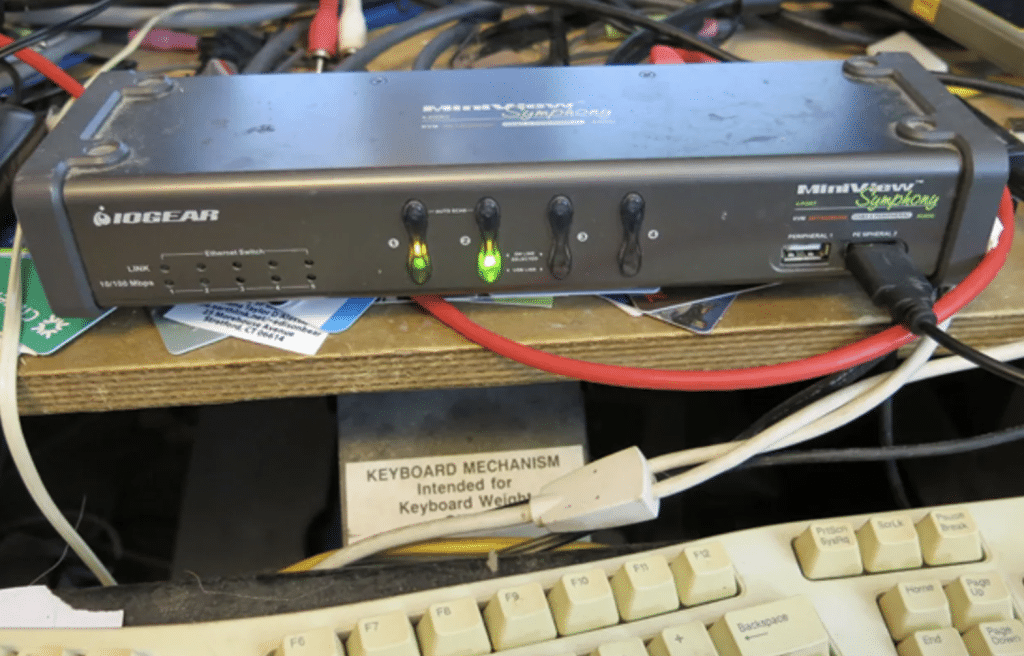
In today’s increasingly complex IT environments, managing multiple computers and servers efficiently is essential. That’s where KVM switches come into play. KVM, which stands for Keyboard, Video, and Mouse, allows users to control multiple computers from a single set of peripherals.
These devices are invaluable in data centers, server rooms, and any workspace requiring access to multiple computers. However, with a variety of KVM switches available, selecting the right one can be a daunting task.
In this comprehensive guide, we’ll explore the key factors you should consider to help you choose the perfect KVM switches for your specific needs.
Understanding KVM Switches
Before diving into the factors to consider, let’s briefly understand what KVM switches are and how they work.
What is a KVM Switch?
A KVM switch is a hardware device that enables users to control multiple computers or servers using a single keyboard, monitor, and mouse. It eliminates the need for a separate set of peripherals for each system, saving space and simplifying management.
How Does a KVM Switch Work?
KVM switches typically have multiple input ports to connect computers or servers and a single output port to connect the peripherals. Users can switch between connected devices using hotkeys or physical buttons on the KVM switch. This allows them to control and monitor multiple systems seamlessly.
Factors to Consider When Choosing a KVM Switch
Choosing the right KVM switch requires careful consideration of several key factors. Let’s explore each of these factors in detail.
1. Number of Ports
The first and foremost consideration is the number of ports your KVM switch needs to have. Determine how many computers or servers you want to control simultaneously. KVM switches come in various configurations, including 2-port, 4-port, 8-port, and even larger options to accommodate your specific needs.
2. Type of Ports
KVM switches offer different types of ports, including VGA, DVI, HDMI, and DisplayPort for video, and USB or PS/2 for keyboard and mouse connections. Ensure that the KVM switch you choose supports the types of ports your devices use. Additionally, consider future compatibility if you plan to upgrade your systems.
3. Hotkey and OSD Functionality
Ease of switching between connected devices is essential for efficiency. Some KVM switches offer hotkey shortcuts, allowing you to switch quickly with keyboard commands. Others come with On-Screen Display (OSD) menus for intuitive navigation and device selection. Choose a switch with a user-friendly interface that suits your preferences.
4. Compatibility
Ensure that the KVM switch is compatible with the operating systems of the computers or servers you intend to control. Most modern KVM switches support a wide range of operating systems, but it’s crucial to verify compatibility to avoid compatibility issues.
5. Distance Between Devices
Consider the physical layout of your workspace. If your computers or servers are located far apart, you may need a KVM switch with longer cable lengths to connect your peripherals effectively. Some KVM switches support extended distances, which is particularly useful in larger server rooms.
6. Rack-Mountable vs. Desktop
KVM switches come in two primary form factors: rack-mountable and desktop. Rack-mountable switches are designed for installation in server racks and save valuable rack space. Desktop models are more versatile and can be placed on a desk or mounted in a convenient location. Choose the form factor that suits your workspace.
7. Additional Features
Consider any additional features that might enhance your KVM switch experience. Some switches offer USB hub ports for connecting additional peripherals like printers or external drives. Others support audio, allowing you to switch both video and audio between devices. Evaluate these features based on your specific requirements.
8. Security and Access Control
In environments where security is a concern, look for KVM switches with advanced security features. Some switches offer password protection, user access control, and encryption to safeguard sensitive data and prevent unauthorized access.
9. Budget Considerations
KVM switches come in a range of price points. While it’s essential to find a switch that meets your needs, consider your budget constraints. Determine the features that are critical for your operations and find a KVM switch that offers the right balance of performance and affordability.
Conclusion
Selecting the right KVM switch is a crucial decision that can significantly impact the efficiency and productivity of your workspace or data center.
By considering factors such as the number of ports, port types, hotkey functionality, compatibility, and additional features, you can make an informed choice that aligns with your specific needs and budget.
Remember to research different brands and read user reviews to ensure you find a reliable and high-quality KVM switch that suits your requirements. With the right KVM switch in place, you can streamline your operations and manage multiple computers or servers effortlessly.